Whether you’re launching your first livestream, hosting webinars, teaching online classes, or building a gaming audience, your webcam can make a bigger difference than you might think. Viewers are far more likely to stay engaged when they can clearly see the person behind the screen, making video quality almost as important as your content.
The best webcams for streaming deliver sharp resolution, accurate colors, smooth frame rates, and reliable autofocus without requiring a complicated setup. While many laptops include built-in cameras, they often struggle in low light and lack the clarity needed for professional-looking broadcasts.
This guide explores some of the top webcams available today, what features matter most, and how to choose the right model for your streaming needs.
Why a Dedicated Streaming Webcam Is Worth It
A standalone webcam offers significant improvements over integrated laptop cameras. Better image sensors capture more detail, while advanced autofocus and exposure adjustments help maintain a consistent image even when lighting changes during a stream.
Beyond image quality, many modern webcams include features such as:
- Full HD or 4K resolution
- Higher frame rates for smoother motion
- Noise-reducing microphones
- Wide or adjustable fields of view
- AI-powered framing and tracking
- Plug-and-play USB connectivity
These features can instantly give your content a more polished appearance.
Features That Matter Most
Before choosing a webcam, consider these important specifications.
Resolution
Most creators are well served by a 1080p webcam. It provides crisp video without demanding excessive internet bandwidth.
A 4K webcam is ideal if you frequently crop your video, create professional recordings, or want maximum image detail.
Frame Rate
For gaming, sports commentary, and fast-moving content, 60 frames per second creates noticeably smoother video than 30 FPS.
Casual livestreams and business meetings generally look excellent at 30 FPS.
Low-Light Performance
Not everyone streams with professional lighting. Larger image sensors and better image processing produce brighter, cleaner video in dim rooms with less visible noise.
Autofocus
Reliable autofocus keeps you sharp even if you lean forward, stand up, or move around while presenting.
Field of View
A narrower field of view focuses attention on you, while a wider angle works better for group discussions, product demonstrations, or creative workspaces.
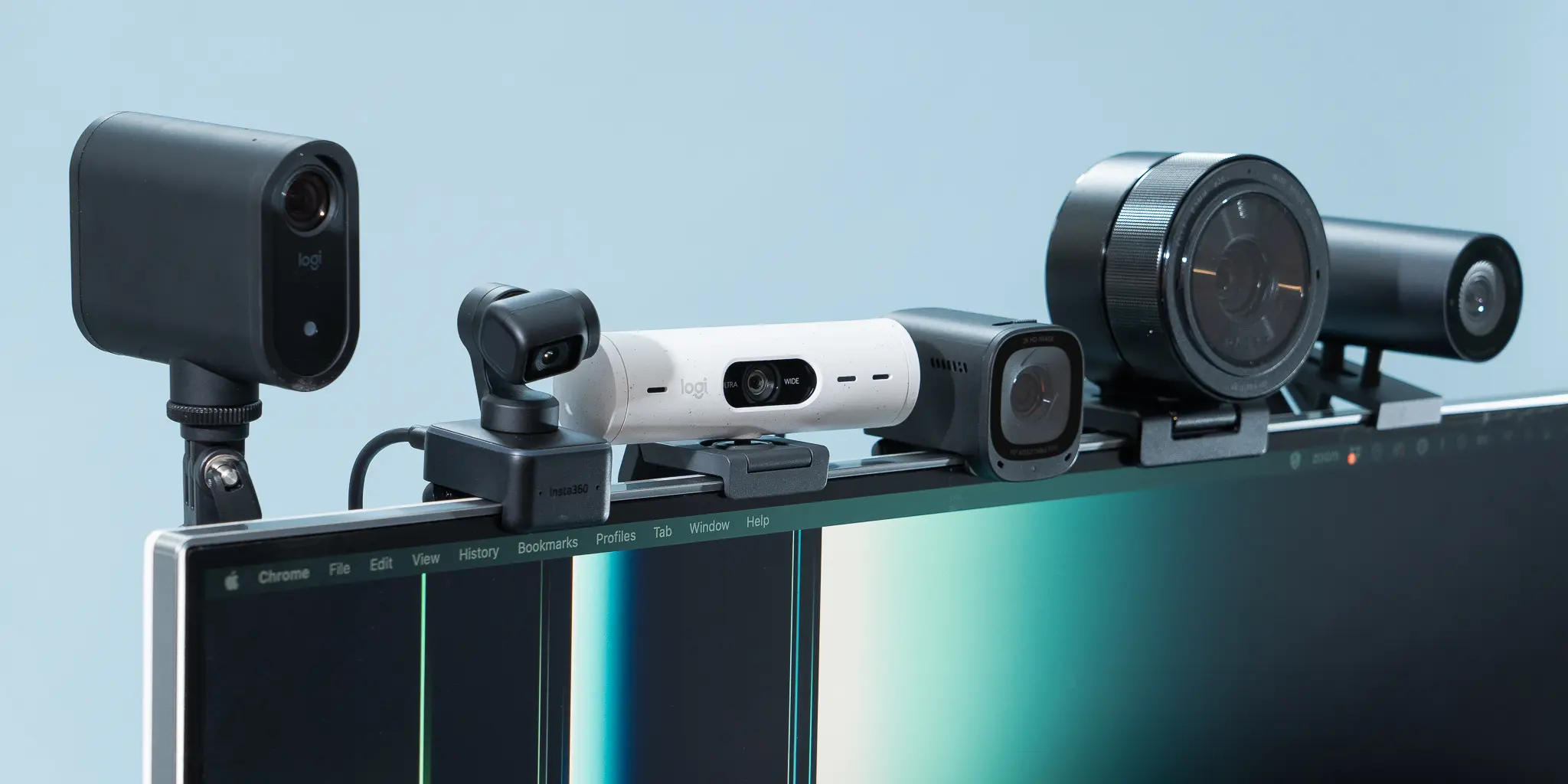
Comparison of Popular Streaming Webcams
| Webcam | Resolution | Frame Rate | Best For | Key Advantage |
|---|---|---|---|---|
| Logitech MX Brio | 4K | 30 FPS / 1080p 60 FPS | Professional creators | Excellent image quality and HDR |
| Elgato Facecam MK.2 | 1080p | 60 FPS | Twitch and YouTube streaming | Outstanding color accuracy |
| OBSBOT Tiny 2 | 4K | 60 FPS | Dynamic presentations | AI auto-tracking |
| Logitech C920 HD Pro | 1080p | 30 FPS | Beginners | Affordable and dependable |
| Razer Kiyo Pro Ultra | 4K | 30 FPS | Low-light environments | Large image sensor |
This comparison highlights that the right webcam depends more on your streaming style than simply choosing the highest resolution.
Top Webcam Recommendations
Logitech MX Brio
If you’re looking for premium image quality, the Logitech MX Brio stands out. Its 4K sensor captures impressive detail while delivering natural colors and excellent dynamic range.
The webcam performs especially well for creators producing tutorials, interviews, and professional livestreams where image quality matters.
Pros:
- Exceptional 4K clarity
- Strong HDR performance
- Reliable autofocus
- Premium build quality
Best for professionals and serious content creators.
Elgato Facecam MK.2
Many experienced streamers appreciate the Elgato Facecam because it focuses on consistent image quality instead of unnecessary extras.
Its uncompressed video output produces vibrant colors, making gameplay streams and talking-head content look polished.
Pros:
- Smooth 1080p at 60 FPS
- Excellent manual controls
- Consistent exposure
- Designed specifically for creators
Ideal for Twitch, YouTube, and Facebook Live.
OBSBOT Tiny 2
Innovation sets the OBSBOT Tiny 2 apart. Its AI-powered tracking follows your movements automatically, allowing you to walk around naturally without leaving the frame.
This makes it an excellent choice for educators, fitness instructors, and presenters.
Pros:
- Intelligent tracking
- 4K recording
- Gesture controls
- Fast autofocus
Perfect for dynamic presentations.
Logitech C920 HD Pro
Despite its age, the Logitech C920 remains one of the most recommended webcams for beginners.
It consistently produces clear Full HD video, installs within minutes, and works with nearly every major streaming platform.
Pros:
- Affordable
- Easy setup
- Reliable autofocus
- Excellent value
A smart starting point for new streamers.
Razer Kiyo Pro Ultra
If you often stream at night or in rooms with limited lighting, the Razer Kiyo Pro Ultra deserves attention.
Its large sensor gathers substantially more light than many competitors, producing cleaner, brighter video with less grain.
Pros:
- Outstanding low-light performance
- Sharp detail
- Rich color reproduction
- Professional appearance
Ideal for creators without expensive lighting equipment.
Choosing the Right Webcam for Your Budget
Higher prices don’t automatically guarantee better results for everyone.
If you’re starting your streaming journey, an affordable Full HD webcam paired with good lighting often produces a more noticeable improvement than purchasing an expensive 4K camera.
Intermediate creators may benefit from higher frame rates and improved autofocus, while professionals producing commercial-quality content can take full advantage of premium sensors and advanced image controls.
Think of your webcam as part of an overall streaming setup that includes lighting, audio, and internet stability.
How the Right Webcam Improves Your Live Streaming Experience
Imagine you’re hosting a weekly gaming livestream. During an exciting tournament match, your audience wants to see your reactions as clearly as they hear your commentary. A webcam with smooth 60 FPS video and responsive autofocus keeps your expressions sharp even as you lean closer to the screen or celebrate a victory. That extra visual quality can make the viewing experience feel more personal and engaging, encouraging viewers to stay longer and return for future streams.
My Experience Upgrading a Webcam
After switching from a basic built-in laptop camera to a dedicated Full HD webcam, I immediately noticed that my video looked sharper, colors appeared more natural, and viewers commented on the improvement without me even mentioning the upgrade.
Tips to Improve Webcam Quality
Even the best webcam benefits from proper setup.
Here are a few simple improvements:
- Position the camera at eye level.
- Use soft lighting in front of you rather than behind.
- Keep your background clean and uncluttered.
- Connect through a high-speed USB port when possible.
- Clean the camera lens regularly.
- Update webcam firmware if available.
- Adjust exposure and white balance for consistent results.
These small adjustments often create a bigger improvement than upgrading hardware alone.
Final Thoughts
Finding the best webcams for streaming comes down to balancing image quality, budget, and the type of content you create. Beginners can confidently start with a dependable Full HD model, while experienced creators may appreciate the flexibility of premium 4K options with advanced autofocus and AI-powered features.
Remember that great streaming isn’t just about having the most expensive equipment. Consistent lighting, clear audio, and engaging content work together to create a professional viewing experience. Invest in a webcam that fits your goals today while leaving room to grow as your audience expands.
Frequently Asked Questions
Is a 4K webcam necessary for streaming?
Not always. Most livestreams are broadcast in 1080p, making a quality Full HD webcam sufficient for many creators. A 4K model becomes valuable if you crop footage, record videos for editing, or want maximum image detail.
Which webcam is best for beginners?
The Logitech C920 HD Pro remains one of the best entry-level choices because it offers dependable Full HD quality, simple installation, and excellent value.
Does lighting matter more than the webcam?
In many cases, yes. Good lighting can dramatically improve image quality, even with a mid-range webcam, while poor lighting can make an expensive camera look underwhelming.
What frame rate is best for livestreaming?
For gaming and fast-paced content, 60 FPS provides smoother motion. For webinars, online classes, and casual streaming, 30 FPS is typically more than adequate.
Can I use a webcam for recording YouTube videos?
Absolutely. Many modern webcams produce video quality that’s suitable for YouTube tutorials, product reviews, interviews, podcasts, and livestreams, especially when paired with proper lighting and a quality microphone.