3D printing has evolved from a niche hobby into a practical technology used by designers, engineers, educators, entrepreneurs, and DIY enthusiasts. Whether you want to create custom household items, prototype inventions, print tabletop miniatures, or even launch a small business, choosing the best 3D printer can make all the difference.
The market is packed with options, from beginner-friendly machines that work almost out of the box to advanced printers capable of producing professional-quality parts. Instead of focusing only on specifications, it’s important to consider print quality, reliability, ease of use, maintenance, and long-term value.
This guide explores the top choices available today and explains how to select the right printer for your specific needs.
Why Choosing the Right 3D Printer Matters
Buying a printer isn’t simply about getting the fastest model or the largest build volume. The ideal machine depends on what you plan to create.
For example:
- Hobbyists often prioritize ease of setup and affordable materials.
- Designers may need excellent dimensional accuracy.
- Small businesses value consistent performance for batch production.
- Schools require safe and reliable operation.
- Artists may prefer printers that handle detailed models exceptionally well.
A machine that matches your goals saves time, reduces failed prints, and makes the learning process much more enjoyable.
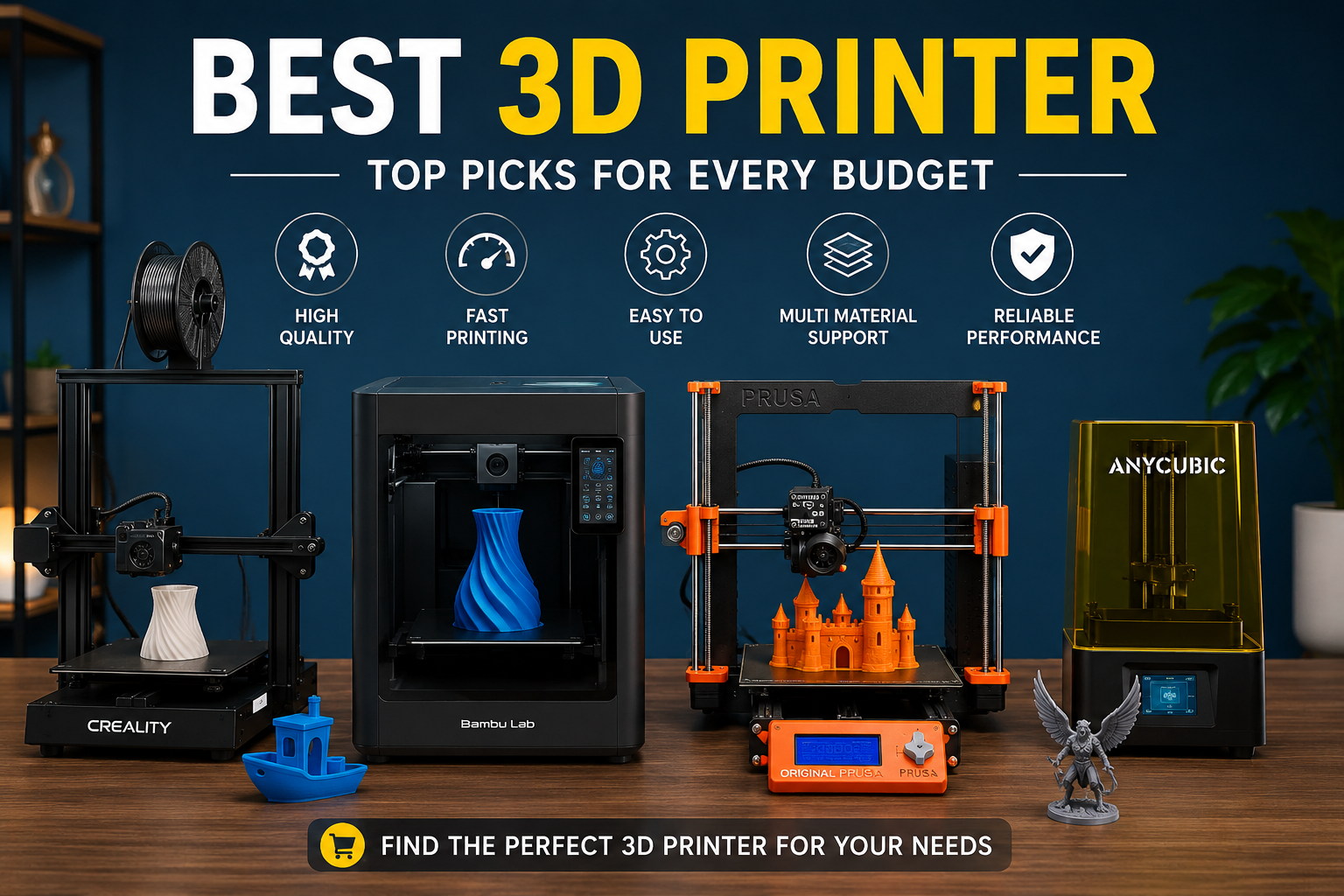
Top 3D Printers Worth Considering
Several manufacturers have built strong reputations by delivering dependable machines with modern features.
| Printer | Best For | Key Advantages | Potential Drawbacks |
|---|---|---|---|
| Bambu Lab A1 | Beginners and hobbyists | Fast printing, automatic calibration, simple setup | Slightly smaller ecosystem than some competitors |
| Creality Ender 3 V3 SE | Budget-conscious users | Excellent value, easy upgrades, large community support | May require occasional manual tuning |
| Prusa MK4 | Professionals and makers | Outstanding reliability, exceptional print quality | Premium price |
| Anycubic Kobra 3 | Home workshops | Good speed, user-friendly interface, multi-color options | Accessories can increase overall cost |
| Elegoo Neptune 4 Pro | Performance seekers | High-speed printing, stable frame, impressive accuracy | Learning curve for advanced settings |
Each of these models excels in different situations, so the “best” option depends on your priorities rather than a single specification.
Features That Actually Matter
With manufacturers advertising dozens of technical specifications, it’s easy to overlook what truly impacts daily use.
Print Quality
Layer consistency, precision, and smooth surface finishes determine how professional your prints look. A printer with excellent calibration and motion control often delivers better results than one with slightly higher advertised resolution.
Build Volume
Larger build areas allow you to print helmets, cosplay props, and mechanical assemblies in fewer pieces. However, a compact printer may be more practical if you mostly create miniatures or small prototypes.
Printing Speed
Modern printers have become dramatically faster than earlier generations. Higher speed is useful, but only if print quality remains consistent.
Auto Bed Leveling
Automatic leveling reduces one of the most frustrating aspects of 3D printing. Beginners especially benefit from printers that perform this process automatically.
Material Compatibility
Most users print with PLA because it’s affordable and easy to use. More advanced machines can also handle PETG, TPU, ABS, ASA, nylon, and carbon fiber-reinforced filaments for specialized applications.
Software Experience
Good slicing software can simplify the printing process. Features like automatic supports, material profiles, and remote monitoring improve productivity and reduce failed prints.
Which Printer Fits Your Needs?
Different users have different priorities.
For Beginners
Choose a machine with automatic calibration, clear instructions, and active community support. Spending a little more upfront often saves countless hours of troubleshooting later.
For Hobbyists
Look for expandability. Upgrade-friendly printers allow you to improve performance over time without replacing the entire machine.
For Small Businesses
Reliability matters more than peak speed. Consistent print quality and minimal downtime directly affect productivity and customer satisfaction.
For Engineers and Product Designers
Precision and repeatability become critical. Professional-grade printers deliver accurate dimensions that are suitable for functional prototypes and product development.
FDM vs. Resin Printers
Many buyers wonder whether they should choose filament or resin technology.
FDM printers melt plastic filament layer by layer. They’re affordable, easy to maintain, and ideal for functional parts, household tools, and larger models.
Resin printers use liquid photopolymer cured by ultraviolet light. They produce extraordinary detail, making them perfect for jewelry, dental models, miniatures, and intricate figurines. However, resin printing involves additional cleaning, safety precautions, and post-processing.
For most first-time buyers, an FDM printer offers the best balance between cost, ease of use, and versatility.
Ongoing Costs to Consider
The printer itself is only part of the investment.
Additional expenses may include:
- Filament or resin
- Replacement nozzles
- Build plates
- Maintenance tools
- Cleaning supplies
- Spare parts
- Storage solutions for printing materials
Planning for these recurring costs helps avoid surprises later.
How 3D Printers Perform in Everyday Projects
Imagine you’re running a small online business selling personalized desk organizers and phone stands. Receiving ten or twenty custom orders every week requires dependable printing with minimal failures. A reliable machine that finishes prints consistently can help you fulfill orders faster, reduce wasted material, and improve customer satisfaction without constantly monitoring every print.
Common Mistakes First-Time Buyers Make
Many newcomers purchase the cheapest available printer expecting professional results immediately.
Instead, focus on overall reliability, customer support, software quality, and community resources.
Another common mistake is ignoring available workspace. Remember to leave room for ventilation, maintenance, filament storage, and post-processing.
Finally, don’t underestimate the learning process. Even the most beginner-friendly printer requires some patience while you become familiar with slicing settings and material behavior.
Tips for Better Printing Results
A few simple habits can dramatically improve print success.
- Keep the build plate clean.
- Store filament in dry containers.
- Update firmware when recommended.
- Use quality printing materials.
- Regularly inspect belts and moving components.
- Start with manufacturer-recommended settings before experimenting.
I still remember printing my first functional cable organizer, and seeing a simple digital design become a useful physical object made me appreciate how rewarding reliable 3D printing can be.
Is an Expensive Printer Always Better?
Not necessarily.
Premium models often provide better automation, stronger frames, quieter operation, faster speeds, and improved reliability. However, many mid-range printers now deliver print quality that rivals significantly more expensive machines.
Rather than chasing the highest price tag, evaluate features that genuinely match your projects. A well-balanced printer that meets your needs will provide far better long-term value than an expensive model with capabilities you’ll rarely use.
Also Read:Windows 11 Download Guide: Install Safely & Easily
Conclusion
Finding the best 3D printer ultimately comes down to understanding your goals. Beginners benefit from simple, automated machines, while experienced makers may prioritize customization and advanced materials. Professionals usually value precision and reliability above everything else.
Take time to compare print quality, supported materials, build volume, ease of maintenance, and software compatibility before making your decision. A thoughtfully chosen printer can serve you well for years, opening the door to creative projects, rapid prototyping, educational opportunities, and even profitable business ventures.
Frequently Asked Questions
What is the best 3D printer for beginners?
A beginner-friendly model with automatic bed leveling, intuitive software, and reliable customer support is usually the best choice. Printers such as the Bambu Lab A1 and Creality Ender 3 V3 SE are popular starting points.
How much should I spend on a quality 3D printer?
Most users can find an excellent machine between $250 and $800. Professional-grade systems generally cost more but offer enhanced reliability and advanced features.
Can a 3D printer produce functional parts?
Yes. Many printers can create durable components, replacement parts, tools, prototypes, and custom accessories using materials like PETG, ABS, nylon, and carbon fiber composites.
Which filament is easiest for beginners?
PLA remains the most beginner-friendly option because it prints at lower temperatures, produces consistent results, and requires minimal maintenance.
Are 3D printers difficult to maintain?
Modern machines require relatively little maintenance. Cleaning the build plate, checking belts, replacing worn nozzles, and keeping filament dry are usually enough to maintain excellent print quality.
How long does a typical print take?
Print times vary depending on size, detail, and layer height. Small models may finish within an hour, while larger or highly detailed projects can take several hours or even multiple days.