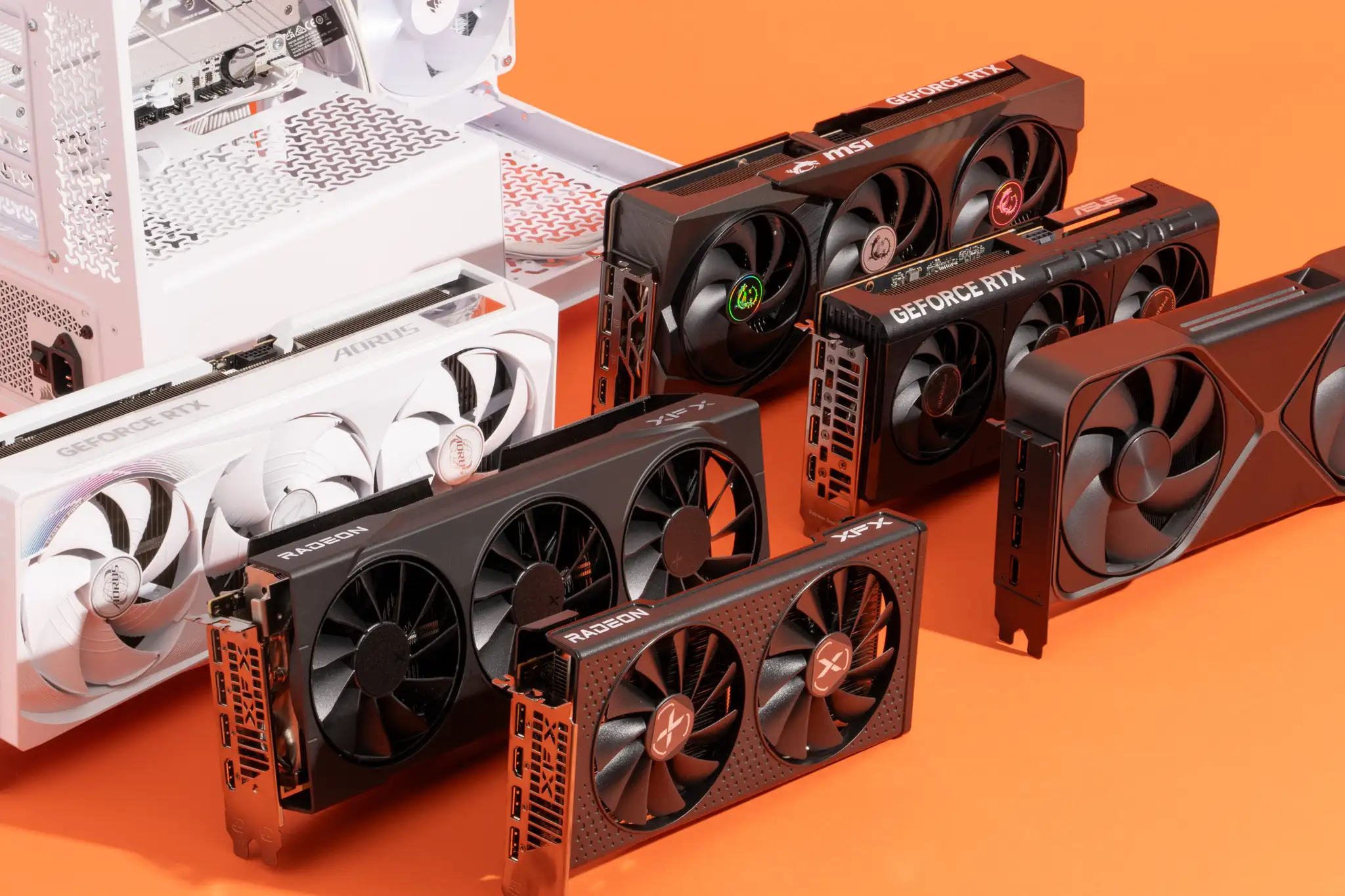
Choosing the best graphics card isn’t as simple as buying the most expensive model on the market. The right GPU depends on what you actually do with your computer. A competitive gamer chasing high frame rates has different needs than a video editor, 3D artist, or someone building a reliable PC for everyday use.
With new generations of graphics cards arriving regularly, it’s easier than ever to find impressive performance at almost every price point. The challenge is separating real value from marketing hype. This guide breaks down the top options, explains what matters before you buy, and helps you make a confident decision.
Why Your Graphics Card Matters
A graphics card, also known as a GPU (Graphics Processing Unit), is responsible for rendering images, videos, animations, and 3D graphics. While the processor handles general computing tasks, the GPU takes over graphics-intensive workloads.
A capable GPU can deliver:
- Smooth gaming at higher resolutions
- Faster video editing and rendering
- Better 3D modeling performance
- Improved AI-assisted creative workflows
- Support for multiple high-resolution monitors
Whether you’re upgrading an aging PC or building a new one, the graphics card often has the biggest impact on overall visual performance.
Top Graphics Cards Worth Considering
Different users have different priorities, so there isn’t one perfect option for everyone. Here are some of today’s strongest choices across multiple categories.
| Graphics Card | Best For | Resolution | Key Strength |
|---|---|---|---|
| NVIDIA GeForce RTX 5090 | Enthusiast gaming | 4K & 8K | Industry-leading performance |
| NVIDIA GeForce RTX 5080 | High-end gamers | 4K | Excellent value among premium GPUs |
| AMD Radeon RX 9070 XT | Performance-focused gamers | 1440p & 4K | Strong rasterization and competitive pricing |
| NVIDIA GeForce RTX 5070 | Mainstream enthusiasts | 1440p | Great balance of power and efficiency |
| AMD Radeon RX 9060 XT | Budget-conscious gamers | 1080p & 1440p | Outstanding price-to-performance ratio |
| Intel Arc B580 | Entry-level gaming | 1080p | Affordable modern features |
Instead of focusing only on benchmark numbers, consider how each card matches your daily workload.
Gaming Performance: What Really Matters
Many buyers immediately compare FPS (frames per second), but that’s only part of the picture.
Modern graphics cards also offer:
- Hardware-accelerated ray tracing
- AI-powered upscaling
- Improved power efficiency
- Lower latency technologies
- Better cooling designs
For competitive esports titles, maintaining consistently high frame rates often matters more than playing at maximum visual settings.
Meanwhile, single-player games benefit from stronger ray tracing performance and higher texture quality.
Finding the right balance produces a better overall experience than simply chasing the highest benchmark score.
Choosing the Right GPU for Your Budget
Budget Range
Affordable graphics cards today deliver impressive 1080p gaming performance.
If you primarily play games like Fortnite, Valorant, Counter-Strike, Apex Legends, or Rocket League, an entry-level GPU can easily handle high settings without overspending.
Mid-Range Options
This category offers the best value for most buyers.
Modern mid-range cards comfortably support:
- 1440p gaming
- Streaming
- Video editing
- Creative applications
- Moderate ray tracing
For many users, this segment delivers the ideal balance between cost and longevity.
Premium GPUs
High-end graphics cards target enthusiasts who demand maximum performance.
These models excel at:
- Native 4K gaming
- Professional rendering
- AI workloads
- Large creative projects
- Future-proofing demanding systems
Although they command premium prices, they provide exceptional performance for intensive workloads.
Important Features to Compare
Performance isn’t the only specification worth examining.
VRAM Capacity
More VRAM helps with higher-resolution textures, larger creative projects, and demanding games.
Today’s recommendations generally include:
- 8GB for entry-level gaming
- 12GB–16GB for most users
- 16GB or more for professional workloads
Cooling System
A well-designed cooler keeps temperatures under control while reducing fan noise.
Triple-fan models often run quieter during extended gaming sessions, although compact dual-fan cards remain excellent for smaller PC cases.
Power Requirements
Before upgrading, verify your power supply can support the new GPU.
Higher-end graphics cards often require:
- Larger power supplies
- Additional PCIe power connectors
- Adequate airflow
Ignoring these requirements can limit performance or create system instability.
Physical Size
Many modern GPUs are significantly larger than older generations.
Always measure available clearance inside your case before purchasing to avoid installation problems.
How to Choose the Right GPU for Your Needs
Imagine you’re building a new gaming and content creation PC with a fixed budget. Spending nearly half of that budget on the most powerful graphics card might seem tempting, but doing so could force compromises elsewhere, such as buying slower storage, less memory, or a weaker processor.
A more balanced approach—pairing a capable mid-range GPU with a fast CPU, sufficient RAM, and a quality SSD—often results in a smoother overall experience. The entire system works together, reducing bottlenecks and delivering better long-term value.
My Experience Upgrading a Graphics Card
When I compared systems with different GPU tiers while evaluating gaming and creative workloads, I noticed that selecting a balanced graphics card instead of simply buying the highest-priced model delivered a noticeably better overall experience for most users, especially when paired with a capable processor and fast storage.
AMD vs. NVIDIA: Which Is Better?
This question comes up frequently, but the answer depends on your priorities.
NVIDIA typically leads in:
- Ray tracing performance
- AI-powered image enhancement
- Professional software compatibility
- Content creation features
AMD often stands out for:
- Competitive pricing
- Excellent traditional gaming performance
- Generous VRAM at similar price points
- Strong value for gamers
Neither brand is universally better. The smarter choice depends on your preferred games, software, and budget.
How Long Should a Graphics Card Last?
A quality graphics card generally remains relevant for five years or longer.
Several factors influence longevity:
- Resolution you play at
- Future game requirements
- Driver support
- Cooling quality
- System maintenance
Keeping drivers updated and ensuring proper airflow can extend both performance and lifespan.
Common Mistakes Buyers Make
Many first-time buyers make avoidable mistakes, including:
- Buying a GPU that’s too powerful for their monitor
- Ignoring power supply compatibility
- Overlooking case dimensions
- Focusing only on benchmark charts
- Spending the entire budget on one component
A well-balanced PC almost always outperforms an unbalanced system in everyday use.
Final Thoughts
Finding the best graphics card isn’t about choosing the fastest model available—it’s about selecting the one that fits your needs, budget, and future plans.
Gamers seeking smooth 1080p gameplay can save money with capable budget options, while 1440p players often find the sweet spot in modern mid-range GPUs. Professionals working with video editing, 3D rendering, or AI-assisted applications may benefit from investing in premium hardware that accelerates demanding tasks.
Before making your final decision, compare performance, VRAM, cooling, power requirements, and overall system compatibility. A thoughtful purchase today can deliver years of reliable performance without unnecessary expense.
Also Read:Best Webcams for Streaming | Top Picks for 2026
Frequently Asked Questions
Which graphics card is best for gaming?
The ideal choice depends on your target resolution and budget. High-end GPUs are excellent for 4K gaming, while mid-range cards provide exceptional performance for 1440p and 1080p gaming.
How much VRAM do I need?
For most gamers, 12GB to 16GB offers excellent longevity. Entry-level users can still enjoy smooth gaming with 8GB, while professional creators often benefit from higher capacities.
Is AMD better than NVIDIA?
Both manufacturers produce excellent graphics cards. NVIDIA generally excels in ray tracing and creative workloads, whereas AMD frequently offers stronger value and competitive gaming performance.
Can I upgrade only my graphics card?
Yes, provided your motherboard, power supply, and PC case support the new GPU. It’s also important to ensure your processor won’t create a significant performance bottleneck.
Is a high-end graphics card worth it?
If you play demanding games at 4K, create professional content, or run GPU-intensive applications, investing in a premium graphics card can be worthwhile. For general gaming, a strong mid-range option often delivers the best value.