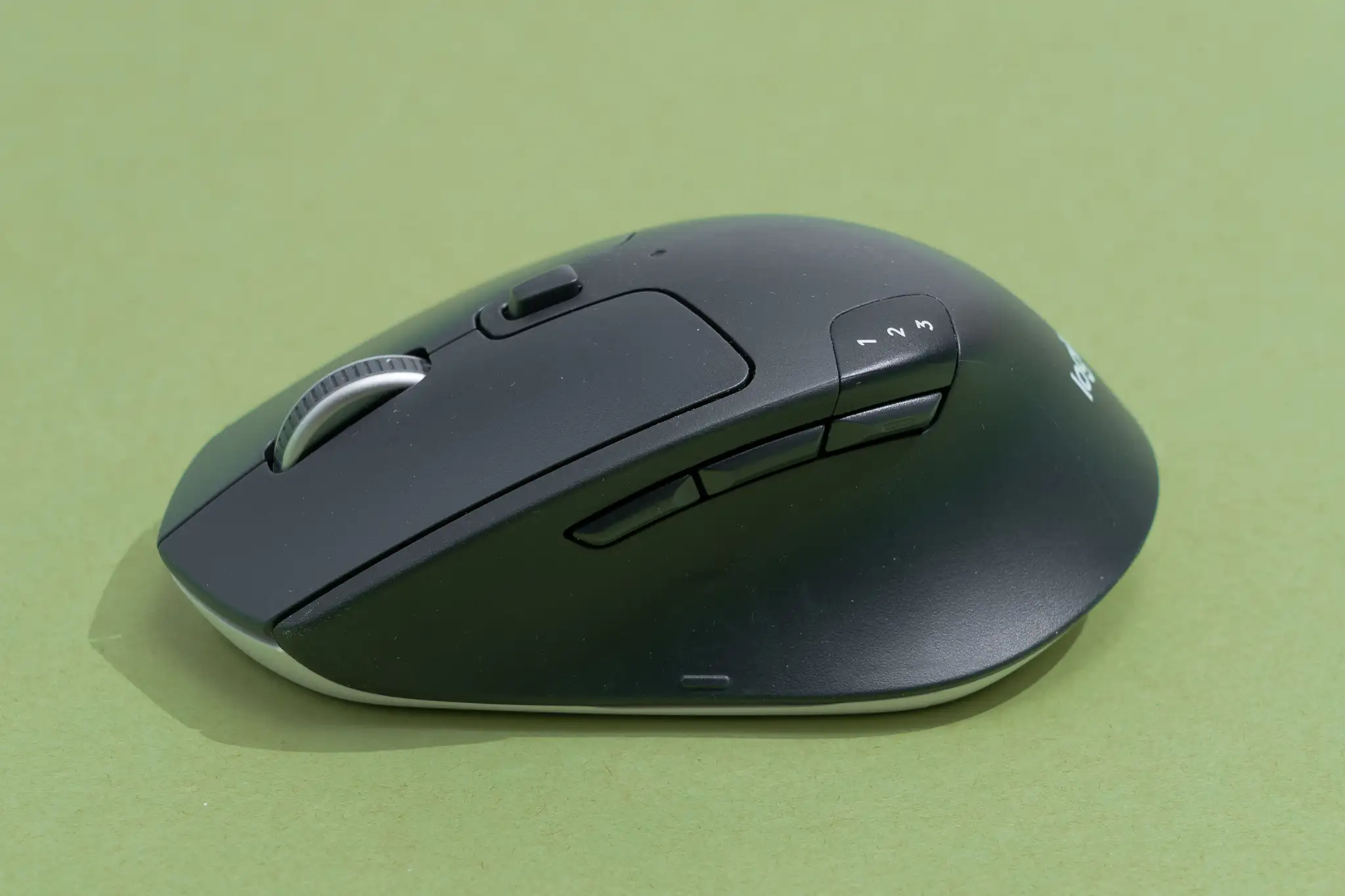
If you spend hours at your desk every day, choosing the best wireless mouse for work can make a surprising difference in both comfort and productivity. Whether you’re handling spreadsheets, editing documents, designing presentations, or attending virtual meetings, the right mouse helps reduce hand fatigue while improving accuracy and workflow.
With countless models available, finding the ideal option isn’t just about buying the most expensive device. Features like ergonomic design, battery life, wireless reliability, customizable buttons, and sensor performance all play an important role. This guide explores what matters most and highlights the best choices for different working styles.
Why a Quality Wireless Mouse Matters
A wireless mouse does more than eliminate cable clutter. Modern models offer low-latency connections, precise tracking, and ergonomic shapes that make long work sessions more comfortable.
Benefits include:
- Greater desk flexibility and cleaner workspaces
- Comfortable hand positioning during extended use
- Reliable wireless connectivity
- Better precision for multitasking
- Easy portability for hybrid and remote work
A well-designed mouse also helps minimize unnecessary wrist movement, making everyday tasks feel smoother and more efficient.
Features to Look for Before Buying
Before comparing models, it’s helpful to understand which features actually improve your daily workflow.
Ergonomic Design
Comfort should always come first. An ergonomic shape supports your hand naturally, reducing strain during long hours of use. If you work full-time on a computer, this feature is worth prioritizing.
Wireless Connectivity
Most modern mice connect through either Bluetooth or a USB receiver.
- Bluetooth saves a USB port and works well with laptops.
- 2.4GHz wireless receivers often provide the most stable and responsive connection.
- Some premium options support both methods, allowing seamless switching between devices.
Battery Life
Frequent charging interrupts productivity. Many productivity-focused wireless mice last several months on replaceable batteries, while rechargeable models can operate for weeks on a single charge.
Precision Sensor
Higher DPI isn’t always necessary for office work, but a quality sensor ensures smooth tracking across different surfaces.
Silent Clicks
If you work in shared offices or frequently attend video meetings, quieter buttons create a more professional environment.
Multi-Device Support
Professionals who use both a desktop and laptop appreciate mice that switch between multiple paired devices with a single button.
Best Wireless Mouse Options for Different Professionals
Every user has different priorities. Some value comfort, while others need portability or advanced productivity features.
| Mouse Type | Best For | Main Advantages | Possible Drawback |
|---|---|---|---|
| Ergonomic Wireless Mouse | Long office sessions | Excellent wrist support | Larger size |
| Compact Travel Mouse | Business travelers | Lightweight and portable | Smaller grip |
| Multi-Device Mouse | Remote workers | Easy device switching | Slightly higher price |
| Silent Wireless Mouse | Shared offices | Quiet operation | Limited customization |
| Premium Productivity Mouse | Power users | Advanced buttons and precision | Premium cost |
Rather than focusing on one “perfect” model, matching the mouse to your work style often produces the best results.
Ergonomic Mice for All-Day Comfort
Professionals who spend eight or more hours at a computer benefit significantly from ergonomic designs.
These mice naturally support the palm and reduce wrist pressure. Some even feature thumb rests, angled grips, and sculpted contours that encourage healthier hand positioning.
After switching to an ergonomic wireless mouse myself, I noticed that long editing sessions felt much less tiring by the end of the day.
Although ergonomic models may take a few days to get used to, many users find the improvement worthwhile.
Compact Wireless Mice for Professionals on the Move
Remote work has changed how people use computers. Many professionals alternate between home, office, and travel.
Compact wireless mice fit easily into laptop bags while maintaining reliable performance.
These models are ideal for:
- Business travelers
- Students
- Freelancers
- Coffee shop workers
- Digital nomads
Their lightweight construction makes them easy to carry without adding unnecessary bulk.
Productivity Features Worth Paying For
Premium wireless mice often include additional features designed specifically for office users.
Popular enhancements include:
- Programmable shortcut buttons
- Horizontal scrolling
- Adjustable sensitivity
- Fast charging
- Gesture controls
- Application-specific customization
These small improvements can save valuable time throughout the workday, especially when performing repetitive tasks.
Choosing the Right Size
Many buyers overlook hand size when shopping for a mouse.
A device that’s too small forces your fingers into an unnatural position, while one that’s too large may reduce control.
As a general guideline:
- Small hands usually prefer compact designs.
- Medium hands fit most standard models comfortably.
- Larger hands often benefit from full-sized ergonomic mice.
Trying a mouse in person, whenever possible, remains one of the easiest ways to determine comfort.
Battery Performance: Rechargeable vs Replaceable
Battery preference often comes down to convenience.
Rechargeable mice eliminate disposable batteries and typically recharge through USB-C.
Replaceable battery models can last anywhere from six months to two years before needing a new battery.
If uninterrupted uptime is important, long-lasting replaceable batteries remain an excellent choice. If sustainability and convenience matter more, rechargeable models are equally compelling.
How the Right Wireless Mouse Improves Everyday Productivity
Imagine a financial analyst who spends nearly ten hours each day reviewing reports, preparing presentations, and attending online meetings. Their old wired mouse constantly catches on cables, while its flat design causes noticeable wrist discomfort by the afternoon.
After upgrading to a comfortable wireless productivity mouse with programmable shortcuts, everyday tasks become noticeably smoother. Switching between spreadsheets, presentation software, and communication apps requires fewer clicks, desk organization improves, and extended work sessions become less physically demanding. Small ergonomic improvements like these often have a meaningful impact over weeks and months of regular use.
Common Mistakes to Avoid
Buying a wireless mouse becomes much easier when you avoid these frequent mistakes:
- Choosing based only on appearance
- Ignoring ergonomic design
- Buying the cheapest available option
- Overpaying for gaming-focused features you won’t use
- Forgetting compatibility with your operating system
- Overlooking battery performance
A balanced combination of comfort, reliability, and practical features usually delivers better long-term value than focusing on specifications alone.
How to Make Your Wireless Mouse Last Longer
A quality mouse can serve you for years with proper care.
Simple maintenance tips include:
- Clean the sensor regularly.
- Store the USB receiver safely.
- Recharge before the battery becomes completely empty.
- Keep liquids away from the device.
- Use a mouse pad for smoother tracking.
- Update companion software when available.
These habits help maintain consistent performance and extend the life of your investment.
Also Read:How to Choose a Gaming Monitor | Complete Buying Guide
Conclusion
Finding the best wireless mouse for work isn’t about choosing the most expensive model—it’s about selecting one that complements your workflow, hand size, and daily routine. Features like ergonomic comfort, dependable wireless connectivity, long battery life, and precise tracking contribute far more to productivity than flashy extras.
Whether you work from home, commute between offices, or travel frequently, investing in a reliable wireless mouse can make every task feel smoother and more comfortable. By focusing on your specific needs instead of marketing claims, you’ll end up with a device that supports your work for years to come.
Frequently Asked Questions
What is the best wireless mouse for office work?
The best option combines ergonomic comfort, accurate tracking, reliable wireless performance, and long battery life. The ideal choice depends on your hand size and daily workload.
Is Bluetooth better than a USB receiver?
Bluetooth is convenient because it doesn’t occupy a USB port, while a dedicated wireless receiver often offers a slightly more stable and responsive connection.
How long do wireless mouse batteries last?
Depending on the model, battery life ranges from several weeks for rechargeable devices to over a year for mice using replaceable batteries.
Are ergonomic wireless mice worth buying?
Yes. Professionals who spend long hours at a computer often experience greater comfort and reduced wrist strain after switching to an ergonomic design.
Can one wireless mouse connect to multiple devices?
Many modern productivity mice support multiple device pairing, allowing you to switch between a desktop, laptop, or tablet with a single button.