Whether you’re building a gaming PC, upgrading your workstation, or simply trying to reduce high processor temperatures, choosing the best CPU cooler can make a noticeable difference. A quality cooling solution doesn’t just keep temperatures in check—it also improves system stability, reduces fan noise, and helps your processor maintain higher performance during demanding tasks.
Modern CPUs from Intel and AMD are more powerful than ever, but they also generate considerable heat under heavy workloads. That’s why selecting the right cooler is just as important as choosing the processor itself.
Why a Good CPU Cooler Matters
Every processor produces heat while running. If that heat isn’t dissipated efficiently, performance may suffer due to thermal throttling, where the CPU automatically lowers its speed to avoid damage.
A high-quality cooling system offers several benefits:
- Lower operating temperatures
- Quieter PC operation
- Improved gaming and productivity performance
- Longer hardware lifespan
- Better overclocking potential
Whether you’re editing videos, playing AAA games, or compiling large software projects, efficient cooling helps your system perform consistently.
Air Cooler vs. Liquid Cooler
Before selecting a cooler, it’s important to understand the two primary categories available.
| Feature | Air Cooler | Liquid Cooler (AIO) |
|---|---|---|
| Cooling Performance | Excellent for most users | Outstanding under heavy loads |
| Noise Level | Usually quiet | Depends on radiator and fans |
| Installation | Easier | Slightly more complex |
| Maintenance | Minimal | Very low, but more components |
| Cost | Budget-friendly | Higher price |
| Best For | Everyday users and gamers | Enthusiasts, creators, overclockers |
For the majority of PC users, a premium air cooler delivers exceptional value. Liquid coolers become more attractive for high-end CPUs that run hotter during intensive workloads.
Top CPU Coolers Worth Considering
Noctua NH-D15
The Noctua NH-D15 remains one of the most respected air coolers on the market. Its dual-tower heatsink and premium fans deliver impressive thermal performance while maintaining low noise levels.
Best for:
- High-end gaming PCs
- Productivity workstations
- Quiet PC builds
DeepCool AK620
DeepCool has gained popularity by offering premium-level cooling at a competitive price. The AK620 combines strong thermal performance with a modern appearance that fits almost any build.
Highlights
- Excellent value
- Quiet operation
- Wide socket compatibility
Thermalright Peerless Assassin 120 SE
This cooler has become a favorite among budget-conscious builders because it delivers cooling performance that rivals significantly more expensive options.
Ideal for users who want premium temperatures without paying premium prices.
Corsair iCUE H150i Elite
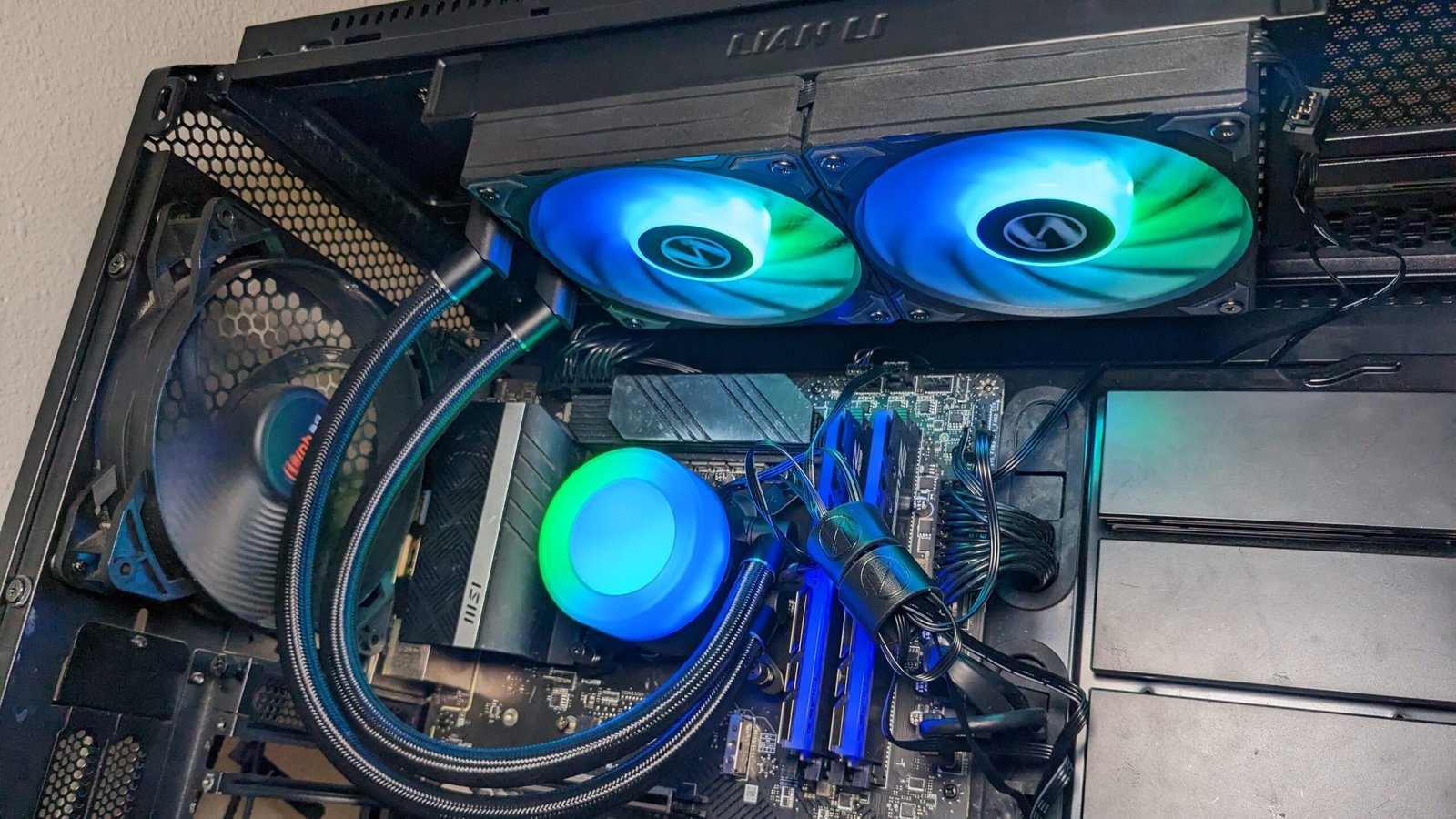
If you’re looking for an all-in-one liquid cooler, this 360mm model offers excellent heat dissipation along with customizable RGB lighting.
It’s especially suitable for powerful processors used in gaming, streaming, and content creation.
Arctic Liquid Freezer III
Arctic continues to impress with efficient pump design, high-quality fans, and competitive pricing. Many enthusiasts consider it one of today’s strongest AIO coolers.
Choosing the Right Cooler for Your Processor
Not every CPU requires an expensive cooling solution. Matching the cooler to your processor saves money while ensuring reliable performance.
Entry-Level CPUs
Processors like Intel Core i3 or AMD Ryzen 5 generally work well with affordable tower coolers.
Mid-Range CPUs
Intel Core i5 and AMD Ryzen 7 processors benefit from larger air coolers or compact liquid coolers, especially for gaming.
High-End CPUs
Processors such as Intel Core Ultra 9 or AMD Ryzen 9 often generate substantial heat under sustained workloads. Premium dual-tower air coolers or 280mm to 360mm liquid coolers are recommended.
Important Features to Look For
Cooling Capacity
Higher thermal performance allows the processor to sustain boost clocks longer without overheating.
Noise Levels
Large fans rotating at lower speeds typically produce less noise than smaller fans spinning faster.
RAM Clearance
Some oversized air coolers may interfere with tall memory modules. Always verify compatibility before purchasing.
Case Compatibility
Measure your PC case carefully. Large tower coolers and long radiators require adequate internal space.
Socket Support
Ensure the cooler supports your motherboard’s socket, whether it’s Intel LGA1700, LGA1851, AMD AM5, or older platforms.
How Better Cooling Improves System Performance
Imagine you’re playing a demanding open-world game while chatting with friends and recording gameplay. With an entry-level stock cooler, processor temperatures may climb quickly, causing the CPU to reduce clock speeds. Frame rates become less stable, and fan noise increases noticeabl
Replacing it with a capable aftermarket cooler allows the processor to maintain lower temperatures throughout the gaming session. The result is smoother gameplay, quieter operation, and more consistent overall performance without changing any other hardware.
My Experience Upgrading a Cooling System
When I replaced a stock CPU cooler with a high-quality dual-tower air cooler in one of my own desktop systems, the temperature difference during extended gaming sessions was immediately noticeable, and the reduced fan noise made the entire PC feel far more refined.
Common Installation Tips
Installing a CPU cooler isn’t difficult, but attention to detail matters.
- Clean old thermal paste completely.
- Apply a small amount of fresh thermal paste.
- Tighten mounting screws evenly.
- Verify fan direction for proper airflow.
- Check BIOS fan settings after installation.
Taking these small steps can improve cooling efficiency significantly.
Is an Expensive Cooler Always Better?
Not necessarily.
Many mid-priced coolers perform remarkably close to flagship models. Unless you’re running a flagship processor under constant heavy workloads or overclocking aggressively, spending more doesn’t always provide a meaningful real-world improvement.
Instead, focus on balancing your processor, case airflow, and cooling solution. A well-ventilated case paired with a quality mid-range cooler often outperforms an expensive cooler installed in a poorly ventilated system.
Final Thoughts
Finding the best CPU cooler depends on your processor, budget, and intended workload. Air coolers remain an outstanding choice for most users because they combine reliability, quiet performance, and affordability. Meanwhile, liquid coolers excel in high-performance systems that generate substantial heat.
Before making a purchase, confirm socket compatibility, case dimensions, RAM clearance, and your cooling requirements. Investing in a dependable cooler today not only improves temperatures but also helps your entire system remain quieter, faster, and more stable for years to come.
Also Read:Best Wireless Mouse Under 50 | Top Budget Picks 2026
Frequently Asked Questions
What is the best CPU cooler for gaming?
High-end air coolers like the Noctua NH-D15 and DeepCool AK620 are excellent choices for gaming, while premium 360mm AIO liquid coolers are ideal for enthusiast builds.
Are air coolers better than liquid coolers?
For most users, premium air coolers offer exceptional reliability, lower maintenance, and excellent value. Liquid coolers are better suited to high-performance processors and heavy multitasking.
Do I need an aftermarket CPU cooler?
If your processor frequently reaches high temperatures, becomes noisy, or you plan to game, stream, or edit videos regularly, upgrading from the stock cooler is worthwhile.
How long does a CPU cooler last?
A quality air cooler can last well over 10 years with occasional fan replacement. Most all-in-one liquid coolers typically provide reliable performance for around 5–7 years.
Does thermal paste come with CPU coolers?
Most modern aftermarket CPU coolers include pre-applied thermal paste or a tube of high-quality paste in the package, making installation straightforward.