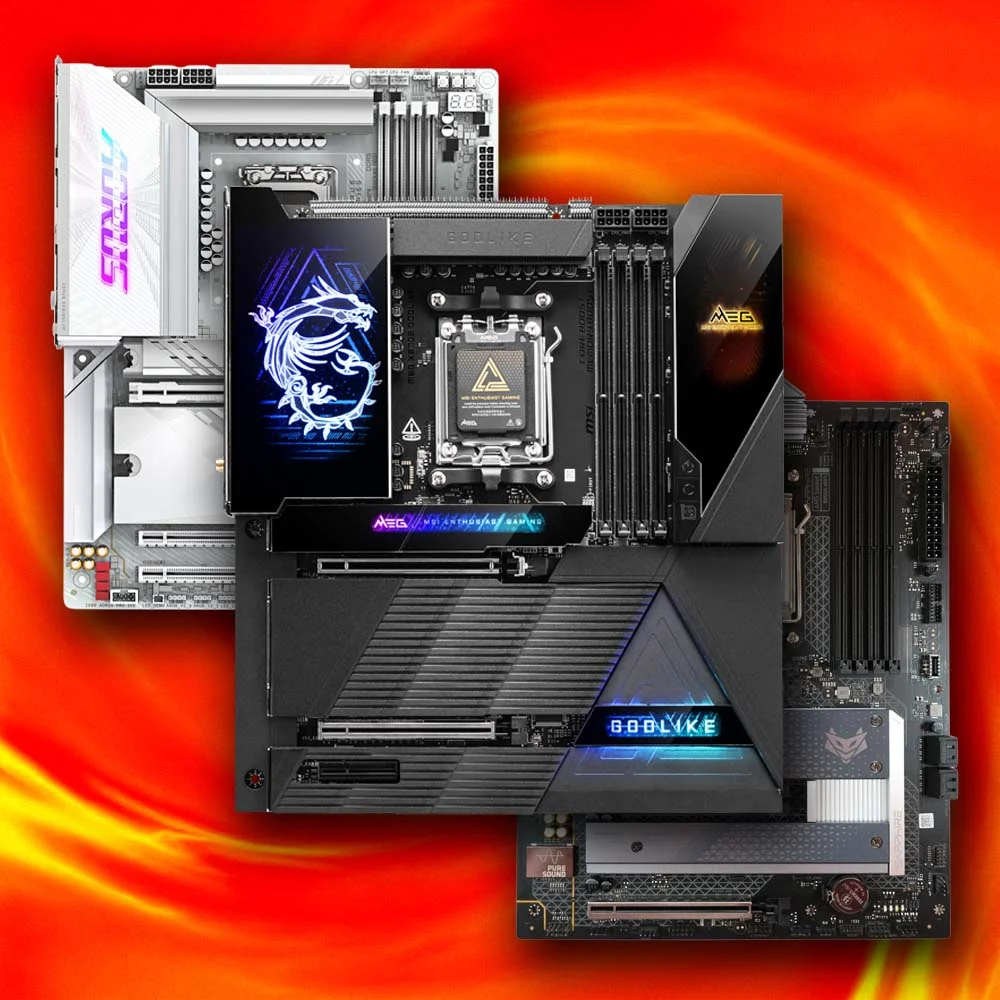
A gaming PC is only as strong as the foundation it’s built on, and that foundation is the motherboard. While graphics cards and processors often get the spotlight, your motherboard determines compatibility, upgrade potential, storage options, memory support, connectivity, and overall system stability.
If you’re searching for the best motherboard for gaming, choosing the right model depends on your processor, budget, and the features you actually need. Premium boards offer advanced overclocking, PCIe 5.0 support, faster networking, and robust power delivery, while budget-friendly options still provide excellent gaming performance without unnecessary extras.
This guide explains what to look for, compares popular options, and helps you select the ideal motherboard for your next gaming build.
Why Your Motherboard Matters for Gaming
A motherboard doesn’t directly increase frame rates like a GPU does, but it plays a critical role in ensuring every component performs at its best. A quality board provides:
- Stable power delivery for modern CPUs
- Support for high-speed DDR5 memory
- Fast NVMe SSD compatibility
- Reliable networking with Wi-Fi 6E or Wi-Fi 7
- Multiple USB and expansion ports
- Better cooling for demanding gaming sessions
- Easy future upgrades
Investing in a well-built motherboard today can save you from replacing your entire platform when upgrading later.
Key Features to Consider Before Buying
CPU Compatibility
Start by choosing a motherboard that matches your processor.
- Intel users should select boards designed for the latest compatible socket.
- AMD users should choose boards built for current Ryzen processors.
Always verify chipset compatibility before purchasing.
Chipset Selection
Different chipsets offer different capabilities.
For enthusiasts, premium chipsets include advanced overclocking support, additional PCIe lanes, and more connectivity.
Mid-range chipsets usually provide nearly all the gaming performance most players need at a lower price.
Entry-level chipsets are suitable for budget systems where expansion isn’t a priority.
Memory Support
Modern gaming systems benefit from DDR5 memory.
Look for boards supporting:
- High memory frequencies
- Dual-channel configurations
- At least 128 GB maximum capacity
- Stable memory overclocking
Storage Options
Today’s games are enormous.
Choose a motherboard with:
- Multiple M.2 NVMe slots
- PCIe Gen4 or Gen5 SSD support
- Several SATA ports for additional storage
Expansion Slots
Gamers planning future upgrades should prioritize:
- PCIe 5.0 x16 graphics slot
- Extra PCIe slots for capture cards or expansion devices
- Reinforced GPU slots for heavier graphics cards
Connectivity
Modern gaming setups benefit from:
- Wi-Fi 6E or Wi-Fi 7
- Bluetooth support
- 2.5Gb Ethernet
- USB-C connectivity
- High-quality onboard audio
Comparison Table: Popular Gaming Motherboards
| Motherboard | Best For | Memory | PCIe Support | Networking | Overall Value |
|---|---|---|---|---|---|
| ASUS ROG Strix Series | High-end gaming | DDR5 | PCIe 5.0 | Wi-Fi 7 + 2.5Gb LAN | Excellent |
| MSI MAG Tomahawk Series | Performance per dollar | DDR5 | PCIe 5.0 | Wi-Fi 6E | Outstanding |
| Gigabyte AORUS Elite Series | Balanced builds | DDR5 | PCIe 5.0 | 2.5Gb LAN | Great |
| ASRock Steel Legend Series | Budget enthusiasts | DDR5 | PCIe 5.0 | Optional Wi-Fi | Very Good |
| ASUS TUF Gaming Series | Long-term reliability | DDR5 | PCIe 5.0 | Wi-Fi 6E | Excellent |
Each of these models delivers dependable gaming performance, but the right choice depends on your processor and feature requirements rather than simply selecting the most expensive option.
Best Motherboard Choices by Budget
Best Premium Option
If you’re building a flagship gaming PC with a high-end processor and powerful graphics card, a premium motherboard offers exceptional VRM quality, advanced cooling, multiple M.2 slots, premium audio, and extensive connectivity.
This is the ideal choice for enthusiasts who frequently upgrade and want every available feature.
Best Mid-Range Choice
Most gamers will find the sweet spot in mid-range motherboards.
They deliver nearly identical gaming performance compared to flagship models while costing significantly less.
You’ll still receive:
- PCIe 5.0 support
- DDR5 compatibility
- Fast networking
- Excellent power delivery
- Plenty of USB ports
For many builds, this category offers the highest value.
Best Budget Pick
Affordable motherboards have improved dramatically over recent years.
Although they omit premium extras like advanced overclocking or additional expansion slots, they still provide everything required for smooth gaming.
Budget boards work especially well for gamers pairing mainstream CPUs with mid-range graphics cards.
How the Right Motherboard Impacts Gaming Performance
Imagine assembling a gaming PC around a modern eight-core processor paired with a high-performance graphics card. Instead of spending hundreds more on a flagship motherboard packed with features you’ll rarely use, you choose a reliable mid-range model that supports DDR5 memory, PCIe 5.0, multiple NVMe drives, and 2.5Gb Ethernet. The savings allow you to purchase a faster GPU, resulting in noticeably higher gaming performance where it matters most. It’s a smart example of balancing components rather than overspending on features that won’t improve gameplay.
Cooling and Power Delivery Matter
One often-overlooked aspect is VRM quality.
Voltage Regulator Modules control how power reaches your processor.
A stronger VRM means:
- Better stability
- Lower temperatures
- Improved overclocking
- Longer component lifespan
Gaming sessions lasting several hours place consistent loads on your CPU, making efficient cooling and solid power delivery worthwhile investments.
Look for boards with:
- Large aluminum heatsinks
- Multiple fan headers
- Pump headers for liquid cooling
- Good airflow around VRMs
Future-Proofing Your Gaming PC
Technology changes quickly.
Choosing a motherboard with modern standards can extend your system’s useful life.
Features worth prioritizing include:
- PCIe 5.0
- DDR5 memory support
- Multiple NVMe SSD slots
- USB4 or USB-C
- Wi-Fi 7 readiness
- 2.5Gb Ethernet
These features won’t necessarily improve today’s frame rates, but they’ll make future upgrades much easier.
My Experience Choosing a Gaming Motherboard
During one of my own PC upgrades, I initially considered buying the most expensive motherboard available, but after comparing features carefully, I realized a well-equipped mid-range model offered everything I actually needed while leaving more room in the budget for a better graphics card—and that decision delivered a far greater improvement in gaming performance.
Common Mistakes Buyers Make
Avoid these frequent purchasing errors:
- Buying an incompatible motherboard for your CPU
- Spending too much on unnecessary premium features
- Ignoring storage expansion needs
- Choosing weak VRM designs for powerful processors
- Forgetting future upgrade possibilities
- Overlooking BIOS update support
- Purchasing solely based on appearance
Careful planning helps you avoid expensive replacements later.
Final Thoughts
Finding the best motherboard for gaming isn’t about selecting the most expensive board on the market—it’s about choosing one that complements your processor, graphics card, and long-term upgrade plans. A balanced motherboard with strong power delivery, DDR5 support, PCIe 5.0 compatibility, fast networking, and sufficient storage options will provide an excellent foundation for years of gaming.
For most players, a quality mid-range motherboard delivers the ideal combination of performance, reliability, and value. Enthusiasts may appreciate premium features, while budget-conscious gamers can still build an impressive system with affordable options that focus on the essentials.
Frequently Asked Questions
What is the most important feature in a gaming motherboard?
CPU compatibility, reliable power delivery, memory support, and expansion options are the most important considerations.
Does a better motherboard improve FPS?
Not directly. A motherboard provides stability and enables your CPU, GPU, and memory to perform properly, but it doesn’t significantly increase frame rates on its own.
Is DDR5 necessary for gaming?
DDR5 offers improved bandwidth and better future compatibility. While DDR4 remains capable in many systems, DDR5 is the preferred choice for new gaming builds.
How much should I spend on a gaming motherboard?
For most gamers, spending between the mid-range price segment provides excellent value without paying for features that may never be used.
Should I buy a motherboard with Wi-Fi?
If you cannot easily use a wired Ethernet connection, integrated Wi-Fi is a convenient feature that saves you from purchasing an additional wireless adapter.
Which motherboard brand is the most reliable?
Brands such as ASUS, MSI, Gigabyte, and ASRock all produce dependable gaming motherboards. Rather than focusing solely on the brand, compare the specific model’s features, VRM quality, BIOS support, and overall value.