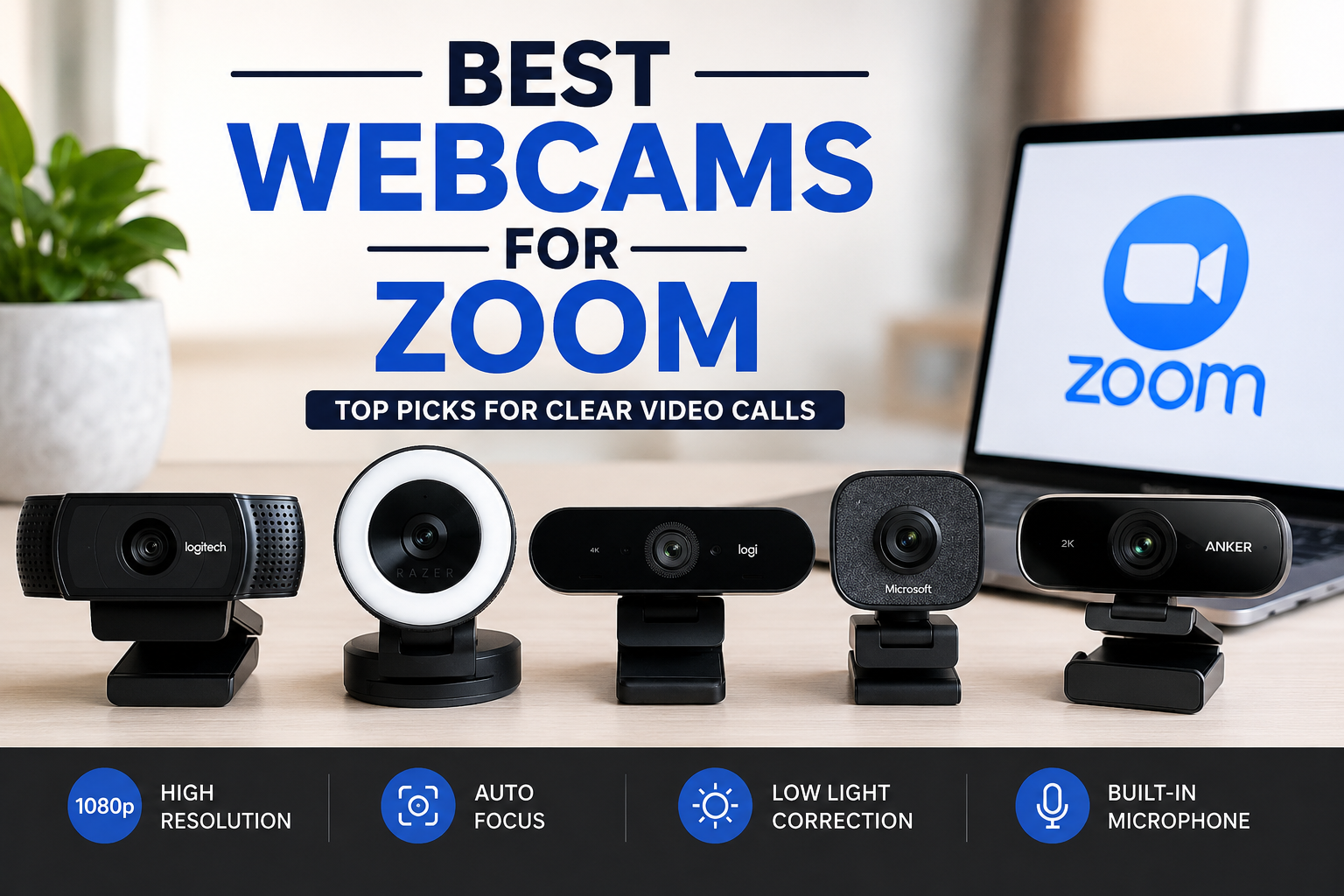
In a world where remote work, online learning, virtual interviews, and digital collaboration have become everyday realities, video quality matters more than ever. While most laptops include built-in cameras, they often struggle with image clarity, lighting balance, and overall performance. That’s why many professionals and casual users alike are searching for the best webcams for Zoom to elevate their online presence.
Whether you’re attending business meetings, teaching classes, connecting with clients, or catching up with family, a quality webcam can make a significant difference in how you look and communicate. This guide explores some of the top webcam options available today and helps you choose the right one for your specific needs.
Why a Dedicated Webcam Is Worth It
Built-in laptop cameras are convenient, but they rarely deliver exceptional image quality. Most are limited by smaller sensors, lower resolutions, and poor low-light performance.
A dedicated webcam offers:
- Sharper video quality
- Better color accuracy
- Improved autofocus
- Enhanced low-light performance
- Wider viewing angles
- Superior microphones in many models
I personally upgraded from a standard laptop camera to a dedicated webcam during remote work meetings, and the difference in image clarity and professionalism was immediately noticeable.
What to Look for in a Zoom Webcam
Before choosing a webcam, it’s important to understand the features that impact video call quality.
Resolution
For Zoom meetings, 1080p Full HD is generally considered the sweet spot. While 720p cameras are still usable, they can appear less detailed, especially on larger screens.
Frame Rate
A frame rate of 30 frames per second (fps) is sufficient for most users. Those creating presentations or recording content may appreciate smoother 60 fps performance.
Autofocus
Autofocus ensures your face remains sharp even when you move around during calls.
Low-Light Performance
Not everyone has professional lighting. A webcam with strong low-light correction can dramatically improve image quality in darker rooms.
Field of View
A wider field of view is useful for presentations, group meetings, or showing more of your workspace.
Comparison of Popular Zoom Webcams
The following table highlights several highly rated options available across different budgets.
| Webcam Model | Resolution | Autofocus | Low-Light Performance | Best For |
|---|---|---|---|---|
| Logitech C920 HD Pro | 1080p | Yes | Good | Everyday meetings |
| Logitech Brio | 4K | Yes | Excellent | Professionals and creators |
| Razer Kiyo Pro | 1080p | Yes | Excellent | Low-light environments |
| Microsoft Modern Webcam | 1080p | Yes | Good | Office productivity |
| Anker PowerConf C200 | 2K | Yes | Very Good | Remote workers |
This comparison makes it easier to identify a camera that aligns with both your budget and video conferencing needs.
Logitech C920 HD Pro: The Trusted Favorite
The Logitech C920 has remained one of the most recommended webcams for years, and for good reason.
It delivers reliable Full HD video, accurate colors, and consistent autofocus performance. Setup is simple, and compatibility with Zoom is seamless.
For users who want dependable quality without spending a premium, this webcam remains a strong choice.
Pros
- Affordable pricing
- Excellent image quality
- Reliable autofocus
- Easy installation
Cons
- Limited advanced customization
- Older design compared to newer competitors
Logitech Brio: Premium Performance for Professionals
If video quality is a top priority, the Logitech Brio stands out.
Its 4K sensor produces exceptionally sharp images, while HDR technology helps balance bright and dark areas. The webcam also performs impressively in challenging lighting conditions.
This model is particularly popular among executives, consultants, streamers, and professionals who frequently appear on camera.
Pros
- Ultra-sharp image quality
- HDR support
- Excellent low-light correction
- Multiple field-of-view settings
Cons
- Higher price point
- Features may exceed casual users’ needs
Razer Kiyo Pro: Outstanding in Low Light
Many users work from home offices with imperfect lighting. That’s where the Razer Kiyo Pro shines.
Its advanced sensor captures more detail in darker environments than many competing webcams. Rather than appearing grainy or washed out, video remains clear and natural.
For anyone who regularly participates in evening meetings or works in rooms with limited natural light, this webcam offers a compelling solution.
Pros
- Exceptional low-light performance
- Sharp Full HD video
- Wide dynamic range
Cons
- Premium pricing
- Larger physical size
Microsoft Modern Webcam: Simplicity Meets Quality
Microsoft designed this webcam with productivity-focused users in mind.
The Modern Webcam offers Full HD video, dependable autofocus, and strong integration with Windows-based systems. Its compact design fits naturally into professional workspaces.
Users seeking a straightforward solution without unnecessary complexity often appreciate its balance of quality and simplicity.
Pros
- Clean professional design
- Reliable image quality
- Easy setup
Cons
- Fewer advanced features
- Not ideal for content creation
Anker PowerConf C200: Great Value for Remote Workers
Anker has become increasingly popular in the work-from-home market, and the PowerConf C200 demonstrates why.
Featuring 2K resolution, adjustable field of view, and strong low-light optimization, it offers impressive performance for its price range.
Many remote workers find it strikes an ideal balance between affordability and premium features.
Pros
- Sharp 2K image quality
- Adjustable viewing angle
- Excellent value
Cons
- Software customization can be limited
Choosing the Right Webcam for Your Situation
The best webcam depends largely on how you use Zoom.
For Business Professionals
The Logitech Brio delivers premium image quality and helps create a polished professional appearance.
For Everyday Meetings
The Logitech C920 continues to provide excellent value and dependable performance.
For Dark Rooms
The Razer Kiyo Pro excels when lighting conditions are less than ideal.
For Budget-Conscious Buyers
The Anker PowerConf C200 offers strong features without a premium price tag.
For Corporate Environments
Microsoft’s Modern Webcam provides a practical and reliable solution.
Tips for Better Zoom Video Quality
Even the best webcam performs better when paired with a few simple improvements.
- Position the camera at eye level.
- Face a window or soft light source.
- Keep your lens clean.
- Use a neutral background.
- Maintain a stable internet connection.
Imagine joining an important client presentation where your video appears sharp, well-lit, and professional while others struggle with blurry images and poor lighting. Small upgrades like a quality webcam can significantly improve first impressions and communication effectiveness.
Also Read:HR Tech Guide: Transforming Modern Workforce Management
Conclusion
Finding the best webcams for Zoom doesn’t have to be complicated. The right choice depends on your budget, workspace, and video quality expectations.
For most users, the Logitech C920 remains a dependable all-around option. Professionals seeking the highest quality may prefer the Logitech Brio, while users working in dim environments will appreciate the Razer Kiyo Pro. Meanwhile, the Anker PowerConf C200 and Microsoft Modern Webcam offer excellent alternatives for specific needs.
A quality webcam is more than just a piece of hardware—it’s an investment in clearer communication, stronger professional presence, and a more engaging virtual experience.
Frequently Asked Questions
What resolution is best for Zoom meetings?
For most users, 1080p Full HD provides excellent image quality while maintaining efficient bandwidth usage.
Is a 4K webcam necessary for Zoom?
Not necessarily. While 4K webcams produce sharper images, Zoom often compresses video streams. A quality 1080p webcam is sufficient for most meetings.
Do webcams improve video quality compared to laptop cameras?
Yes. Dedicated webcams typically feature larger sensors, better optics, improved autofocus, and stronger low-light performance.
Which webcam is best for remote work?
The Logitech C920 and Anker PowerConf C200 are among the most popular choices for remote workers due to their balance of quality and value.
Can lighting affect webcam quality?
Absolutely. Even a premium webcam performs better with proper lighting. Good lighting often improves video quality more than upgrading the camera itself.