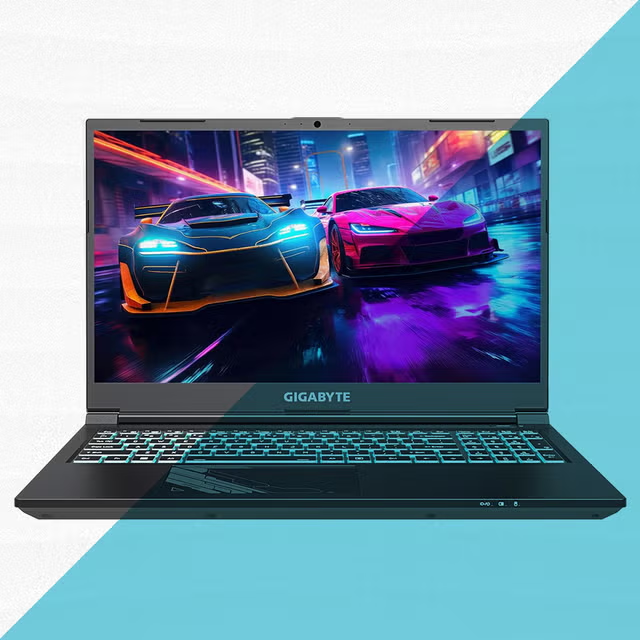
Finding the best laptops under 1000 doesn’t mean settling for outdated hardware or limited performance. In today’s market, a budget of up to $1,000 opens the door to premium features like high-refresh-rate displays, powerful processors, dedicated graphics on some models, and impressive battery life.
Whether you’re a student attending online classes, a professional working remotely, a content creator editing photos, or a casual gamer, there’s a laptop in this price range that delivers excellent value. The key is knowing which features matter most and choosing a machine that fits your specific needs rather than simply buying the newest model.
Why a $1,000 Budget Is the Sweet Spot
Many people assume they need to spend well over $1,500 for a capable laptop. In reality, manufacturers have become incredibly competitive, offering high-performance devices at more affordable prices.
Within this budget, you can typically expect:
- Modern Intel Core Ultra, Intel Core i5/i7, or AMD Ryzen 7 processors
- At least 16GB of RAM
- Fast 512GB SSD storage
- Full HD or even higher-resolution displays
- Battery life ranging from 8 to 14 hours
- Lightweight designs suitable for travel
- Reliable cooling systems for everyday workloads
Instead of paying extra for premium branding, you’re investing in hardware that genuinely improves daily productivity.
Features That Matter Most
Before choosing a laptop, it’s important to evaluate more than just processor speed.
Processor Performance
The CPU determines how smoothly applications run. Current Intel Core Ultra processors and AMD Ryzen 7000 or 8000 series chips offer excellent multitasking while maintaining impressive power efficiency.
For office work, browsing, programming, and media consumption, even a mid-range processor performs exceptionally well.
Memory (RAM)
Today, 16GB RAM has become the ideal starting point.
While 8GB can still handle basic tasks, 16GB provides a noticeably smoother experience when running multiple browser tabs, office applications, video meetings, and creative software simultaneously.
Storage
Solid-state drives (SSDs) dramatically improve boot times and application loading.
A 512GB SSD provides enough space for documents, software, photos, and many games without constantly worrying about available storage.
Display Quality
A laptop’s screen directly affects comfort during long work sessions.
Look for:
- IPS panels
- Full HD (1920×1080) resolution or better
- Brightness above 300 nits
- Anti-glare coating
- Accurate color reproduction
A quality display makes reading, editing, and streaming far more enjoyable.
Top Laptop Options Worth Considering
Several manufacturers consistently deliver excellent value below the $1,000 mark.
| Laptop | Best For | Processor | RAM | Storage |
|---|---|---|---|---|
| Acer Swift Go 14 | Productivity | Intel Core Ultra 7 | 16GB | 512GB SSD |
| ASUS Zenbook 14 | Students & Professionals | AMD Ryzen 7 | 16GB | 512GB SSD |
| Lenovo IdeaPad Pro 5 | Creative Work | Ryzen 7 | 16GB | 1TB SSD |
| Dell Inspiron 14 Plus | Office & Business | Intel Core i7 | 16GB | 512GB SSD |
| HP Pavilion Plus | Everyday Performance | Intel Core Ultra 5 | 16GB | 512GB SSD |
Each model offers slightly different strengths, making it easier to match your workflow rather than chasing specifications alone.
Which Laptop Fits Your Lifestyle?
Choosing the right machine depends on how you plan to use it.
For Students
Students benefit from lightweight laptops with long battery life, comfortable keyboards, and reliable webcams.
Models like the ASUS Zenbook or Acer Swift provide excellent portability while remaining powerful enough for research, presentations, and multitasking.
For Office Professionals
Business users should prioritize:
- Comfortable keyboards
- Quiet cooling
- Fast SSD storage
- Multiple USB ports
- Reliable battery performance
These features improve productivity throughout an entire workday.
For Casual Gaming
Although gaming laptops often exceed this budget, several options under $1,000 include dedicated graphics or capable integrated GPUs that comfortably handle esports titles and many modern games at medium settings.
For Content Creators
Photo editing, graphic design, and light video production require:
- High-quality displays
- Powerful multicore processors
- Plenty of RAM
- Fast SSD storage
The Lenovo IdeaPad Pro series stands out as an excellent balance between creative performance and affordability.
Build Quality Makes a Bigger Difference Than Specs Alone
Many shoppers compare only processor names, overlooking build quality.
A well-built laptop feels sturdier, keeps temperatures lower, and often lasts years longer than cheaper alternatives with similar specifications.
Pay attention to:
- Aluminum chassis
- Precision touchpads
- Comfortable keyboards
- Strong hinge construction
- Good speaker quality
These details significantly improve everyday use.
A Practical Example of Choosing the Right Laptop
Imagine a university student who spends mornings attending virtual lectures, afternoons working on assignments, and evenings editing short videos for social media. They also enjoy relaxing with a few multiplayer games on weekends.
Rather than purchasing an expensive gaming laptop with features they rarely use, selecting a balanced productivity-focused machine with a modern Ryzen or Intel Core Ultra processor provides smoother multitasking, longer battery life, and enough graphics performance for occasional gaming. The result is a device that performs consistently throughout the day without exceeding the budget.
Battery Life Should Never Be an Afterthought
Performance means little if your laptop constantly needs charging.
Many modern laptops below $1,000 now deliver:
- 8–10 hours of regular productivity
- 10–14 hours of video playback
- Fast charging capabilities
- Improved power efficiency
If portability matters, battery life deserves as much attention as processor performance.
Ports and Connectivity Matter More Than Ever
Modern users connect external displays, storage drives, and accessories daily.
Look for laptops that include:
- USB-C
- USB-A
- HDMI
- Wi-Fi 6 or Wi-Fi 6E
- Bluetooth 5.3
- Headphone jack
These ports reduce the need for additional adapters and improve long-term usability.
My Experience Shopping in This Price Range
After comparing several laptops for friends and family over the past year, I’ve consistently found that models with 16GB RAM and a fast SSD deliver the biggest real-world performance improvement, often feeling just as responsive as far more expensive machines during everyday use.
How to Get the Best Deal
Prices fluctuate throughout the year.
Shopping during seasonal sales, back-to-school promotions, and holiday discounts often allows buyers to purchase higher-end configurations within the same budget.
Rather than rushing into the first available deal, comparing specifications, warranty coverage, and upgrade options usually leads to better long-term value.
Also Read:Tomshardware Guide: Reviews, Benchmarks & Buying Tips
Conclusion
The best laptops under 1000 offer an impressive balance of speed, portability, display quality, and battery life without requiring a premium investment. Whether you’re studying, working remotely, creating content, or enjoying casual gaming, today’s market provides numerous options capable of handling demanding workloads with ease.
Instead of focusing solely on brand names, evaluate the processor, memory, storage, display, battery life, and overall build quality. A thoughtful purchase today can remain fast, reliable, and productive for many years, making your investment worthwhile.
Frequently Asked Questions
Is $1,000 enough for a high-performance laptop?
Yes. Many laptops under $1,000 include powerful Intel Core Ultra or AMD Ryzen processors, 16GB RAM, and fast SSD storage suitable for demanding everyday tasks.
Can I game on laptops under $1,000?
Absolutely. Many models handle esports games easily, while some configurations with dedicated graphics can run modern AAA titles at medium settings.
Is 16GB RAM necessary?
For most users, yes. It provides smoother multitasking and improves overall responsiveness compared to 8GB.
Which processor is better: Intel or AMD?
Both offer excellent performance. Intel often excels in productivity and AI-assisted workloads, while AMD provides outstanding multitasking performance and energy efficiency.
How long should a laptop under $1,000 last?
With proper care, a quality laptop in this price range can comfortably remain useful for five to seven years for typical productivity, study, and entertainment needs.