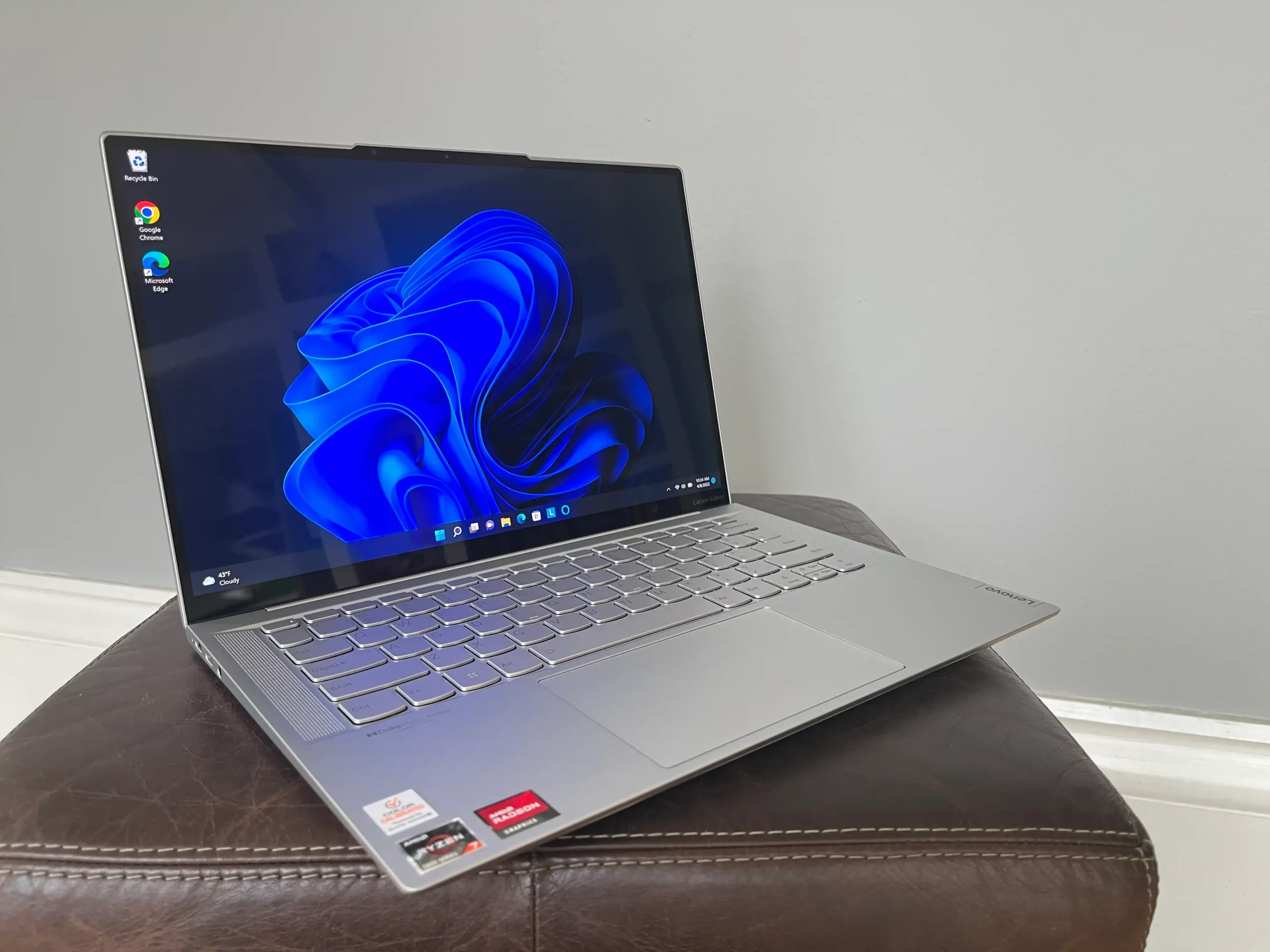
Finding the best laptops under $1000 is easier today than it was just a few years ago. Advances in processors, graphics, and display technology mean you no longer have to spend a fortune to own a fast, reliable, and feature-packed laptop. Whether you’re a student, remote worker, content creator, or casual gamer, there’s an excellent option available within this budget.
The challenge isn’t finding a good laptop—it’s choosing the right one. Some models focus on productivity, while others prioritize gaming or portability. This guide will help you understand what matters most and highlight some of the strongest options available without exceeding your budget.
Why a $1000 Budget Is the Sweet Spot
A budget of around $1000 offers an excellent balance between price and performance. Unlike entry-level laptops that often compromise on speed or display quality, devices in this range typically include:
- Modern Intel Core Ultra or AMD Ryzen processors
- 16GB RAM for smooth multitasking
- Fast SSD storage
- Full HD or higher-resolution displays
- Long battery life
- Premium build quality
- Reliable cooling systems
For most users, these specifications provide years of dependable performance.
What to Look for Before Buying
Choosing the right laptop starts with understanding your daily needs.
Processor
The processor determines overall speed. Intel Core i5, Core Ultra 5, Core Ultra 7, AMD Ryzen 5, and Ryzen 7 processors offer outstanding performance for work, study, entertainment, and moderate creative tasks.
Memory (RAM)
Aim for at least 16GB of RAM. It allows you to keep multiple browser tabs, office applications, and communication tools open without slowing down your system.
Storage
A 512GB SSD is the ideal starting point. SSDs boot Windows quickly, launch applications faster, and provide plenty of room for documents, software, and photos.
Display
A Full HD (1920×1080) IPS display delivers sharp text and accurate colors. If you edit photos or enjoy streaming movies, look for brighter screens with better color accuracy.
Battery Life
A quality laptop should comfortably last an entire workday, typically between 8 and 12 hours depending on your workload.
Graphics
Integrated graphics handle everyday work and light creative tasks well. If gaming or video editing is important, consider models equipped with dedicated NVIDIA RTX graphics.
Best Laptops Under $1000 Comparison
| Laptop | Best For | Processor | RAM | Storage | Highlights |
|---|---|---|---|---|---|
| Acer Swift Go 14 | Everyday productivity | Intel Core Ultra 7 | 16GB | 512GB SSD | OLED display, lightweight design |
| ASUS Zenbook 14 OLED | Students & professionals | AMD Ryzen 7 | 16GB | 512GB SSD | Excellent battery life and vibrant screen |
| Lenovo IdeaPad Pro 5 | Creative work | Ryzen 7 | 16GB | 1TB SSD | Large storage and color-accurate display |
| HP Pavilion Plus 14 | Office & multimedia | Intel Core Ultra 5 | 16GB | 512GB SSD | Premium design with solid performance |
| ASUS TUF Gaming A15 | Budget gaming | Ryzen 7 + RTX graphics | 16GB | 512GB SSD | Great gaming performance and upgrade options |
Top Picks Worth Considering
Acer Swift Go 14
The Acer Swift Go 14 strikes an impressive balance between portability and performance. Its OLED display produces vibrant colors, making movies, presentations, and creative projects look fantastic.
Powered by Intel’s latest Core Ultra processor, it handles multitasking with ease while maintaining impressive battery life.
Ideal for:
- Students
- Office professionals
- Frequent travelers
ASUS Zenbook 14 OLED
If display quality matters, this laptop deserves serious attention. Its OLED screen offers deep blacks, vivid colors, and excellent contrast.
Despite its slim design, it packs enough processing power for demanding productivity tasks and light content creation.
Strengths include:
- Lightweight aluminum body
- Comfortable keyboard
- Quiet operation
- Long-lasting battery
Lenovo IdeaPad Pro 5
This laptop targets users who need additional storage and processing power.
Photo editing, programming, spreadsheet analysis, and multitasking feel effortless thanks to its Ryzen processor and generous SSD capacity.
It also features a sturdy build that feels more premium than many competitors within the same price range.
HP Pavilion Plus 14
HP has refined its Pavilion lineup significantly.
The Pavilion Plus offers premium styling, excellent speakers, and dependable everyday performance. It’s a great option for professionals who spend long hours working with documents, video meetings, and web applications.
The display remains bright enough for indoor work while maintaining good color reproduction.
ASUS TUF Gaming A15
Gamers often assume they need to exceed the $1000 mark for a capable machine. Fortunately, the ASUS TUF Gaming A15 proves otherwise.
With dedicated NVIDIA RTX graphics and Ryzen processors, it comfortably handles modern games at respectable settings while also serving as a capable workstation for video editing and 3D rendering.
Its upgrade-friendly design also allows future improvements to RAM and storage.
Matching the Laptop to Your Needs
Rather than focusing solely on specifications, think about how you’ll use the device each day.
A college student carrying a laptop across campus values portability and battery life. A software developer may prioritize processing power and memory. Meanwhile, someone editing videos benefits from a brighter display and faster graphics.
Buying according to your workflow almost always results in greater long-term satisfaction.
How the Right Laptop Makes a Difference
Imagine you’re starting a new remote job that involves daily video meetings, large spreadsheets, cloud-based software, and occasional photo editing. You don’t want a heavy gaming laptop, but you also need something powerful enough to stay responsive throughout the day.
In this situation, a laptop like the ASUS Zenbook 14 OLED or Acer Swift Go 14 offers the right balance of speed, portability, battery life, and display quality. Instead of paying for hardware you’ll rarely use, you invest in features that improve your daily experience.
My Experience Choosing a Budget Laptop
After comparing several laptops within this price range, I was surprised by how much performance modern mid-range machines deliver, and I found that prioritizing display quality and battery life made a bigger difference in daily use than chasing the highest benchmark scores.
Tips for Getting the Best Value
Shopping strategically can stretch your budget even further.
- Compare seasonal sales and holiday discounts.
- Look for configurations with 16GB RAM.
- Prioritize SSD storage over traditional hard drives.
- Read reviews focusing on battery life and cooling performance.
- Consider last year’s premium models, which often become exceptional bargains.
These simple strategies can help you purchase a significantly better laptop without increasing your spending.
Common Mistakes to Avoid
Many buyers focus exclusively on processor names while overlooking equally important features.
Avoid these common mistakes:
- Buying only 8GB RAM when 16GB is available.
- Choosing low-quality displays.
- Ignoring battery life.
- Purchasing more storage than you’ll realistically use while sacrificing processing power.
- Forgetting to check upgrade options.
A balanced laptop almost always delivers a better overall experience.
Final Thoughts
The best laptops under $1000 prove that outstanding performance no longer requires a premium budget. Today’s options combine powerful processors, fast SSD storage, excellent displays, and dependable battery life into well-rounded packages suitable for work, school, entertainment, and even gaming.
Whether you choose the Acer Swift Go 14 for portability, the ASUS Zenbook 14 OLED for its stunning display, the Lenovo IdeaPad Pro 5 for productivity, the HP Pavilion Plus for professional use, or the ASUS TUF Gaming A15 for gaming, you’re getting exceptional value that can comfortably serve you for years.
The smartest purchase isn’t necessarily the laptop with the longest specification sheet—it’s the one that fits your daily routine and future needs.
Also Read:Toms Hardware Guide: Reviews, Benchmarks & PC Tips
Frequently Asked Questions
Is $1000 enough for a good laptop?
Yes. A $1000 budget can buy a laptop with a modern processor, 16GB RAM, fast SSD storage, and a high-quality display suitable for most personal and professional tasks.
Can I game on a laptop under $1000?
Absolutely. Models with dedicated NVIDIA RTX graphics can run many modern games smoothly at medium to high settings.
How much RAM should I choose?
For most users, 16GB is the recommended minimum. It provides smoother multitasking and extends the useful life of your laptop.
Which processor is better: Intel or AMD?
Both Intel Core Ultra and AMD Ryzen processors offer excellent performance. The best choice depends on pricing, battery life, and the specific laptop model rather than the processor brand alone.
Should I buy a touchscreen laptop?
Touchscreens are convenient for note-taking and casual navigation, but they aren’t essential. If battery life, weight, or value is your priority, a traditional display is often the better option.
How long should a laptop under $1000 last?
With proper care, a quality laptop in this price range can remain reliable for five to seven years, especially if it includes 16GB RAM and SSD storage.