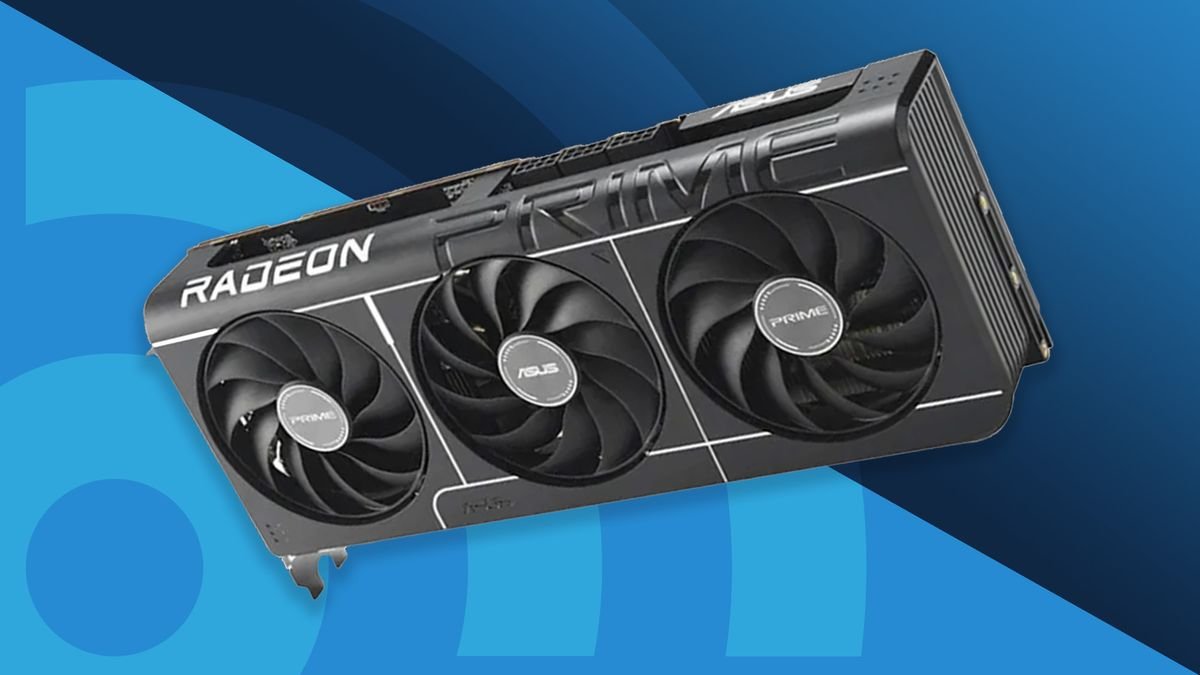
Choosing the best graphics card 2025 has become more exciting—and more challenging—than ever. Modern GPUs aren’t just designed for gaming anymore. They’re powering AI applications, accelerating video editing, improving 3D rendering, and making high-refresh-rate gaming smoother than ever before.
Whether you’re building a new gaming PC, upgrading an older system, or investing in a workstation for creative tasks, selecting the right graphics card can make a huge difference in both performance and long-term value.
This guide explores the top GPU options available in 2025, explains what to look for before buying, and helps you find the model that matches your needs and budget.
Why Your Graphics Card Matters More Than Ever
The graphics card is the heart of any modern gaming or creative PC. While processors handle general computing tasks, the GPU is responsible for rendering images, processing visual effects, and accelerating demanding workloads.
Today’s graphics cards also support technologies like:
- Real-time ray tracing
- AI-powered frame generation
- High-resolution gaming
- Professional video editing
- 3D modeling and rendering
- Machine learning workloads
- Multi-monitor productivity
A powerful GPU doesn’t just improve frame rates—it creates an overall smoother computing experience.
What to Consider Before Buying a GPU
Instead of chasing the most expensive option, think about how you’ll actually use your computer.
Gaming Resolution
Different graphics cards excel at different resolutions.
- 1080p Gaming: Mid-range GPUs offer excellent performance.
- 1440p Gaming: Higher-end cards provide the best balance.
- 4K Gaming: Premium flagship GPUs deliver the smoothest experience.
VRAM Capacity
Video memory plays an increasingly important role in modern games.
Recommended VRAM:
- 8 GB for entry-level gaming
- 12–16 GB for mainstream performance
- 16 GB or more for 4K gaming and professional workloads
More VRAM helps future-proof your investment as games continue demanding larger textures.
Ray Tracing Performance
Modern titles use realistic lighting, shadows, and reflections.
If visual quality matters to you, choose a GPU with strong ray tracing capabilities and AI upscaling support for better performance without sacrificing image quality.
Power Supply Requirements
Higher-performance cards consume significantly more power.
Before purchasing, verify that your power supply has:
- Sufficient wattage
- Correct PCIe power connectors
- Enough physical space inside the PC case
Ignoring compatibility can turn an exciting upgrade into a frustrating installation.
Best Graphics Cards to Buy in 2025
Different users have different priorities. Here’s how today’s leading GPUs compare.
| Graphics Card | Best For | VRAM | Gaming Performance |
|---|---|---|---|
| NVIDIA GeForce RTX 5090 | Ultimate 4K gaming | 32 GB | Outstanding |
| NVIDIA GeForce RTX 5080 | High-end enthusiasts | 16 GB | Excellent |
| AMD Radeon RX 9070 XT | Value-focused gamers | 16 GB | Excellent |
| NVIDIA GeForce RTX 5070 Ti | 1440p gaming | 16 GB | Very High |
| AMD Radeon RX 9060 XT | Mid-range gaming | 12–16 GB | Great |
| Intel Arc B-Series | Budget builds | 10–12 GB | Good |
Rather than focusing on benchmark numbers alone, consider which card aligns with your monitor resolution and software requirements.
Best GPU for 1080p Gaming
Gamers using Full HD monitors don’t necessarily need flagship hardware.
Mid-range graphics cards easily exceed 100 FPS in most modern games while consuming less power and generating less heat.
These GPUs also leave room in your budget for faster storage or additional RAM.
Best GPU for 1440p Gaming
1440p has become the sweet spot for PC gaming.
It offers significantly sharper visuals than 1080p without the enormous hardware requirements of 4K.
Cards like the RTX 5070 Ti and Radeon RX 9070 XT provide impressive frame rates while handling demanding AAA games with ease.
For most gamers, this performance tier delivers the best overall value.
Best GPU for 4K Gaming
If maximum visual quality is your goal, flagship graphics cards remain unmatched.
The latest high-end GPUs comfortably handle:
- Ultra settings
- Ray tracing enabled
- High refresh-rate monitors
- AI frame generation
- Large open-world games
Although expensive, they provide enough performance headroom to remain competitive for several years.
Best Graphics Card for Content Creators
Gamers aren’t the only people benefiting from powerful GPUs.
Video editors, photographers, animators, architects, and designers rely heavily on graphics acceleration.
Professional workloads benefit from:
- Faster timeline playback
- Shorter rendering times
- AI-assisted editing tools
- Improved encoding performance
- Better multitasking
If creative work generates income, investing in a stronger GPU often saves hours every week.
AI Features Are Changing Modern GPUs
Artificial intelligence has become one of the biggest innovations in graphics technology.
Instead of rendering every frame traditionally, modern GPUs can intelligently generate additional frames, sharpen images, and improve overall performance.
These technologies help maintain high frame rates without requiring massive increases in raw processing power.
As more games adopt AI enhancements, choosing a GPU that supports these features becomes increasingly valuable.
How a Modern Graphics Card Improves Everyday Performance
Imagine a gamer upgrading from a five-year-old graphics card to a modern mid-range GPU.
Previously, they struggled to maintain stable frame rates in newer AAA titles and had to lower graphics settings to keep gameplay smooth.
After upgrading, they can comfortably enjoy higher resolutions, improved visual effects, faster loading experiences, and consistent frame rates without replacing the rest of their computer. The improvement isn’t limited to gaming—video editing, streaming, and multitasking also become noticeably faster.
My Experience Upgrading a Graphics Card
When I first upgraded from an older mid-range GPU to a newer generation, the biggest surprise wasn’t just the higher frame rate—it was how much smoother everyday tasks like video editing, screen recording, and even browsing multiple high-resolution displays became.
Should You Choose NVIDIA, AMD, or Intel?
Each manufacturer offers compelling options depending on your priorities.
NVIDIA
Ideal for:
- Advanced ray tracing
- AI-powered features
- Professional creative software
- Streaming
AMD
Best known for:
- Strong price-to-performance ratio
- Large VRAM capacities
- Excellent traditional gaming performance
Intel
A growing competitor offering:
- Affordable pricing
- Solid entry-level gaming
- Improving software support
- Good value for budget-conscious buyers
Rather than focusing solely on the brand, compare performance, features, pricing, and availability.
How to Future-Proof Your Purchase
Technology evolves quickly, but smart buying decisions extend the lifespan of your system.
Consider choosing a graphics card with:
- At least 12–16 GB VRAM
- Efficient cooling
- Modern display outputs
- AI acceleration support
- Strong driver support
- Enough performance for your next monitor upgrade
Buying slightly above your current needs often provides better long-term value than upgrading every couple of years.
Also Read:Best CPU 2026: Top Processors for Gaming & Performance
Conclusion
Finding the best graphics card 2025 ultimately depends on how you use your PC. Competitive gamers may prioritize high frame rates at 1080p or 1440p, while enthusiasts chasing immersive 4K experiences will benefit from flagship models. Content creators, streamers, and professionals should also consider software optimization, VRAM capacity, and AI-powered acceleration.
Instead of simply purchasing the fastest GPU available, match your graphics card to your monitor resolution, workload, power supply, and budget. A well-balanced system delivers a better experience than an overpowered component paired with outdated hardware. By considering your current needs alongside future upgrades, you’ll make an investment that continues to perform well for years to come.
Frequently Asked Questions
What is the best graphics card in 2025?
For maximum performance, flagship GPUs like the NVIDIA GeForce RTX 5090 lead the market, especially for 4K gaming and demanding creative workloads.
How much VRAM do I need in 2025?
For most gamers, 12–16 GB of VRAM provides excellent longevity. Creative professionals and 4K gamers may benefit from 16 GB or more.
Is AMD better than NVIDIA?
Neither is universally better. NVIDIA excels in ray tracing and AI features, while AMD often offers outstanding value and generous VRAM at similar price points.
Can Intel graphics cards handle modern games?
Yes. Intel’s latest Arc GPUs are capable of running many modern games at 1080p and some titles at 1440p, making them a solid option for budget-conscious builders.
Is upgrading my graphics card worth it?
If you’re experiencing low frame rates, long rendering times, or your current GPU lacks support for modern features, upgrading can significantly improve gaming performance, creative workflows, and overall system responsiveness.