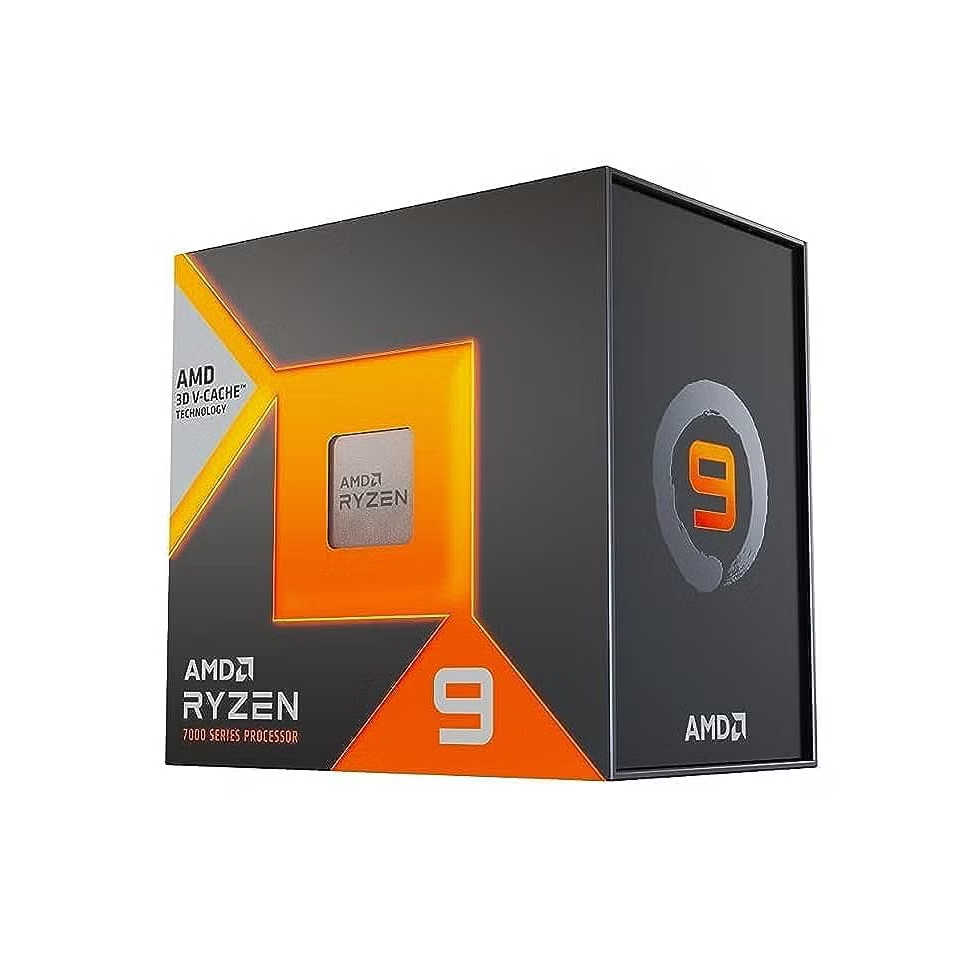
Whether you’re building a brand-new PC or upgrading an older system, selecting the best CPU can make a huge difference in overall performance. The processor is the brain of your computer, handling everything from gaming and content creation to multitasking and professional workloads. With so many models available, finding the right option isn’t always straightforward.
Instead of focusing only on benchmark numbers, it’s important to understand how different processors perform in everyday use. This guide explains what to look for, compares today’s leading options, and helps you choose a processor that fits both your budget and computing needs.
Why the Processor Matters More Than Ever
Modern applications are becoming increasingly demanding. Video editing software, AI-powered tools, high-refresh-rate gaming, and even web browsers benefit from faster processors with more cores and improved efficiency.
A high-quality processor provides:
- Faster application loading
- Better gaming frame rates
- Smoother multitasking
- Reduced rendering times
- Improved energy efficiency
- Longer system lifespan
Investing in the right processor today can save you from needing another upgrade sooner than expected.
Key Factors to Consider Before Buying
Before comparing specific models, it’s worth understanding the features that actually affect performance.
Core Count
Modern CPUs typically include between 4 and 24 cores for consumer systems.
- 4–6 cores: Office work and everyday computing
- 6–8 cores: Gaming and streaming
- 8–16 cores: Content creation and professional tasks
- 16+ cores: Heavy production workloads and advanced multitasking
More cores generally improve multitasking, although software optimization also plays an important role.
Clock Speed
Clock speed measures how quickly a processor performs instructions. Higher boost frequencies usually improve gaming and lightly threaded applications.
However, clock speed alone shouldn’t determine your purchase. Architecture improvements often matter just as much.
Cache Memory
A larger cache allows processors to access frequently used data more quickly, improving responsiveness in many applications.
Power Efficiency
Efficient processors generate less heat, consume less electricity, and usually operate more quietly with simpler cooling solutions.
Top Processor Choices for Different Users
Different workloads benefit from different CPU designs. Here’s a practical comparison.
| User Type | Recommended Option | Why It Works |
|---|---|---|
| Casual Users | Mid-range 6-core processor | Excellent value and smooth everyday performance |
| Gamers | High-frequency 8-core processor | Delivers excellent frame rates with modern GPUs |
| Streamers | 8–12 core processor | Handles gaming and streaming simultaneously |
| Video Editors | 12–16 core processor | Faster rendering and editing workflows |
| Developers | Multi-core processor with large cache | Better virtualization and compilation performance |
| Professionals | Flagship workstation processor | Maximum productivity for demanding workloads |
Rather than buying the most expensive chip available, matching the processor to your workload often delivers better overall value.
Gaming Performance
Gamers frequently assume the most expensive processor automatically delivers the best experience. In reality, modern games rely on a balance between CPU speed, graphics performance, and memory.
Most current titles perform exceptionally well with an 8-core processor featuring strong single-core performance.
Competitive games especially benefit from:
- High boost frequencies
- Large cache sizes
- Efficient cooling
- Fast DDR5 memory support
Pairing a balanced processor with an appropriate graphics card often produces better gaming results than overspending on the CPU alone.
Productivity and Content Creation
Creative professionals place different demands on their hardware.
Tasks such as:
- 4K video editing
- Animation
- Software development
- CAD design
- Music production
- Large spreadsheets
can utilize many CPU cores simultaneously.
For these workloads, investing in additional cores typically provides noticeable productivity improvements by reducing waiting time during rendering, exporting, and compiling.
Integrated Graphics vs Dedicated Graphics
Many processors now include integrated graphics capable of handling:
- Office work
- Web browsing
- Video playback
- Casual gaming
- Multiple displays
If you’re planning serious gaming or professional creative work, a dedicated graphics card remains the better choice.
However, integrated graphics provide an excellent starting point for budget builds.
Choosing Between Budget and Premium Options
One common mistake is assuming premium processors always offer the best value.
For example:
A mid-range processor often delivers 90–95% of the gaming performance of a flagship model while costing significantly less.
That extra budget can instead improve:
- Graphics card
- Faster SSD
- Better monitor
- More RAM
- Higher-quality power supply
Balanced systems consistently outperform builds that prioritize only one expensive component.
How the Right Processor Improves Real-World Performance
Imagine you’re assembling a computer for university, remote work, and occasional gaming. Spending your entire budget on the most powerful processor would leave little room for other essential components.
Instead, selecting a capable mid-range CPU allows you to pair it with more memory, a faster SSD, and a stronger graphics card. The result is a system that feels quicker in everyday use and performs better in games than one built around an overpriced processor with weaker supporting hardware.
This balanced approach often delivers the best long-term experience.
My Experience
During one of my own PC upgrades, I initially planned to purchase the highest-end processor available. After comparing real-world performance instead of focusing only on benchmark scores, I chose a slightly less expensive model and invested the savings in a faster SSD and additional memory. The overall system ended up feeling noticeably more responsive in everyday work while staying comfortably within budget.
Future-Proofing Your Build
Technology evolves quickly, but a few smart decisions can help your computer remain capable for years.
Look for processors that support:
- DDR5 memory
- PCIe 5.0 connectivity
- Efficient power management
- Modern motherboard chipsets
- High-speed storage interfaces
These features improve compatibility with future upgrades and help extend the useful life of your PC.
Common Mistakes to Avoid
Many buyers make avoidable mistakes when shopping for a processor.
These include:
- Buying more cores than they’ll ever use
- Ignoring motherboard compatibility
- Using inadequate cooling
- Pairing a powerful CPU with insufficient RAM
- Overspending while neglecting the graphics card
- Choosing older platforms without upgrade paths
Careful planning leads to better overall performance and greater value.
Final Thoughts
Choosing the best CPU isn’t about purchasing the most expensive processor—it’s about selecting the right one for your specific needs. Whether your priority is gaming, content creation, office productivity, or everyday computing, today’s processors offer outstanding performance across every price range.
Take time to evaluate your workload, budget, upgrade plans, and overall system balance before making a decision. A thoughtfully chosen processor will deliver faster performance, better efficiency, and a more enjoyable computing experience for years to come.
Also Read:Download Windows 11 | Official Install Guide for PC
Frequently Asked Questions
What is the best CPU for gaming?
An 8-core processor with excellent single-core performance generally provides the best gaming experience for most users, especially when paired with a capable graphics card.
How many CPU cores do I really need?
Six cores are sufficient for everyday use, while eight cores are ideal for gaming. Creative professionals and heavy multitaskers often benefit from 12 or more cores.
Is a more expensive processor always faster?
Not necessarily. Many mid-range processors deliver performance close to flagship models in everyday applications while offering much better value.
Should I prioritize clock speed or core count?
For gaming, higher clock speeds often matter more. For rendering, editing, programming, and professional workloads, additional cores usually provide greater performance gains.
How long should a modern processor last?
A quality processor typically remains capable for five to eight years, depending on your workload and future software requirements.