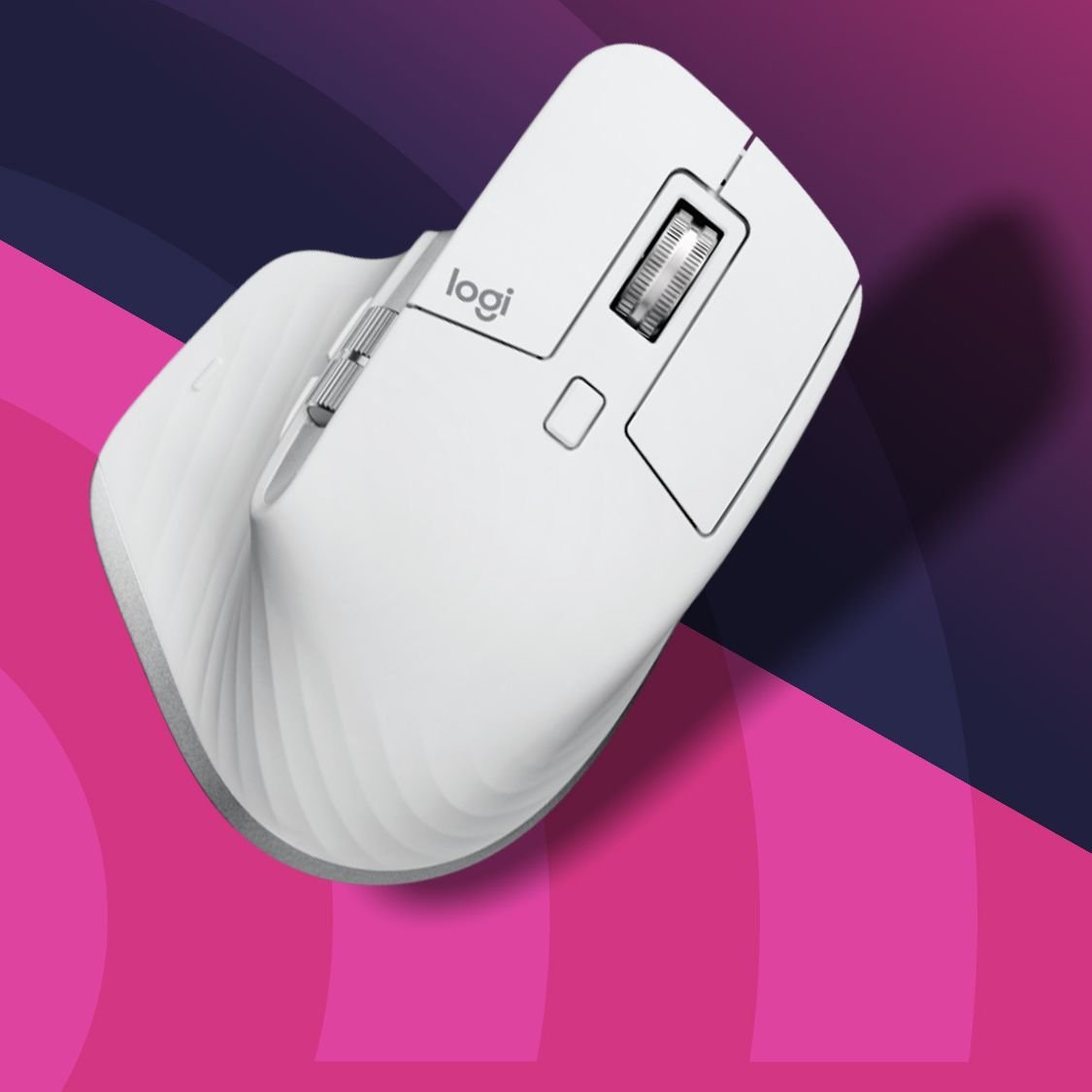
Whether you’re working from home, in a corporate office, or constantly switching between meetings and spreadsheets, choosing the best wireless mouse for work can significantly improve your daily productivity. A reliable mouse reduces hand fatigue, offers precise tracking, and helps you navigate tasks more efficiently than a basic touchpad.
With countless options available, finding the right model isn’t always straightforward. Some prioritize ergonomics, while others focus on battery life, portability, or customizable buttons. This guide explores the most practical choices and explains what truly matters when selecting a wireless mouse for professional use.
Why a Quality Wireless Mouse Matters
Many people spend six to eight hours each day using a computer. During that time, a poorly designed mouse can contribute to discomfort, slower workflow, and unnecessary strain on your wrist.
A well-designed wireless mouse offers several advantages:
- Comfortable grip for extended use
- Accurate cursor movement
- Cable-free workspace
- Long-lasting battery performance
- Quiet clicking for shared workspaces
- Easy connectivity across multiple devices
These features may seem small individually, but together they create a smoother and more enjoyable work experience.
Features to Look for Before Buying
Not every wireless mouse is built for the same type of user. Before making a purchase, consider these essential features.
Ergonomic Design
Comfort should always come first. Ergonomic models support the natural position of your hand, helping reduce muscle fatigue during long work sessions.
Choose a shape that matches your grip style:
- Palm grip
- Claw grip
- Fingertip grip
If you spend several hours working every day, ergonomics can make a noticeable difference.
Battery Life
One of the biggest advantages of modern wireless mice is impressive battery efficiency.
Many premium models offer:
- Several months on standard batteries
- Rechargeable USB-C options
- Automatic sleep mode
- Low battery notifications
Long battery life means fewer interruptions during important projects.
Precision and DPI
DPI (dots per inch) determines cursor sensitivity.
For general office work:
- 800–1200 DPI works well for everyday tasks.
- Adjustable DPI provides flexibility for multiple displays or detailed work.
Graphic designers and engineers may prefer higher sensitivity settings, while office users often prioritize smooth tracking over extreme precision.
Connectivity Options
Today’s wireless mice typically connect using:
- Bluetooth
- USB receiver (2.4 GHz)
- Dual-mode connectivity
Bluetooth saves a USB port, while dedicated receivers often provide slightly lower latency.
Dual connectivity offers maximum flexibility for people who use multiple computers.
Quiet Clicks
If you frequently work in meetings, libraries, or shared offices, silent-click technology creates a more comfortable environment for everyone nearby.
Many productivity-focused mice now feature nearly silent buttons without sacrificing tactile feedback.
Best Wireless Mouse Options for Work
Several manufacturers consistently produce excellent office mice. Here are some standout choices.
Logitech MX Master 3S
Often considered the benchmark for productivity, this model combines comfort, precision, and premium features.
Highlights include:
- Exceptional ergonomic shape
- Quiet buttons
- USB-C charging
- Multi-device support
- Highly customizable controls
- Fast electromagnetic scrolling
It’s especially popular among professionals who multitask throughout the day.
Logitech Signature M650
A more affordable alternative offering impressive comfort.
Best for:
- Office workers
- Students
- Remote employees
- Everyday productivity
Its comfortable grip and silent clicks make it ideal for long working hours.
Microsoft Bluetooth Ergonomic Mouse
Designed with comfort in mind, this mouse offers:
- Thumb support
- Reliable Bluetooth connectivity
- Comfortable shape
- Excellent tracking
It’s particularly suitable for Windows users seeking simplicity.
Razer Pro Click Mini
Although Razer is known for gaming products, this compact productivity mouse performs exceptionally well in professional environments.
Advantages include:
- Compact travel design
- Multi-device pairing
- Long battery life
- Quiet operation
It’s an excellent option for professionals who frequently work while traveling.
HP 930 Creator Wireless Mouse
Creative professionals often appreciate this model for its:
- Precise sensor
- Rechargeable battery
- Comfortable design
- Multi-device compatibility
Editors, designers, and content creators benefit from its smooth performance.
Quick Comparison
| Mouse | Best For | Connectivity | Battery | Key Strength |
|---|---|---|---|---|
| Logitech MX Master 3S | Heavy productivity | Bluetooth + USB | Rechargeable | Premium ergonomics |
| Logitech Signature M650 | Everyday office work | Bluetooth + USB | Up to 24 months | Great value |
| Microsoft Bluetooth Ergonomic | Comfort | Bluetooth | Long-lasting | Ergonomic support |
| Razer Pro Click Mini | Travel | Bluetooth + USB | Replaceable batteries | Compact and portable |
| HP 930 Creator | Creative work | Bluetooth + USB | Rechargeable | Precision tracking |
Choosing the Right Mouse Based on Your Work Style
Different professionals have different priorities.
Office Professionals
If your day revolves around spreadsheets, presentations, and emails, prioritize:
- Comfort
- Battery life
- Silent buttons
Remote Workers
Working from home often means switching between multiple devices.
Look for:
- Multi-device pairing
- Reliable Bluetooth
- Comfortable scrolling
Designers and Editors
Creative work benefits from:
- High precision
- Programmable buttons
- Smooth scrolling
- Rechargeable batteries
Frequent Travelers
A portable mouse should be:
- Lightweight
- Compact
- Durable
- Easy to carry
Foldable or mini designs often fit perfectly into laptop bags.
Wired vs Wireless: Which Is Better for Work?
Many people still wonder whether wired or wireless is the better option.
For professional productivity, wireless models now offer nearly identical responsiveness while providing a cleaner workspace.
| Feature | Wireless | Wired |
|---|---|---|
| Desk setup | Clean | Cable clutter |
| Portability | Excellent | Limited |
| Battery required | Yes | No |
| Latency | Very low | Slightly lower |
| Convenience | Excellent | Moderate |
Unless you require absolute zero-latency performance for specialized tasks, a wireless option is generally the more practical choice.
How a Wireless Mouse Improves Everyday Workplace Productivity
Imagine a financial analyst working across two monitors while attending virtual meetings throughout the day. They constantly switch between spreadsheets, presentation software, and communication tools. A wireless mouse with customizable buttons and fast scrolling allows them to navigate large datasets quickly while keeping their desk organized and free of cables. Over time, the improved comfort and efficiency contribute to a smoother workflow and less hand fatigue by the end of the workday.
My Experience
After switching from a basic office mouse to a more ergonomic wireless model, I immediately noticed how much smoother long editing sessions became, especially during days filled with document reviews and multitasking.
Tips to Extend the Life of Your Wireless Mouse
A few simple habits can keep your device performing well for years:
- Clean the sensor regularly.
- Use it on a quality mouse pad.
- Turn it off when traveling.
- Keep firmware updated when available.
- Recharge before the battery becomes critically low.
- Store the USB receiver safely if using one.
Regular maintenance ensures consistent performance and helps prevent tracking issues.
Is an Expensive Mouse Worth It?
Not everyone needs a premium device.
If your computer use is limited to occasional browsing and email, a budget-friendly wireless mouse may be sufficient.
However, professionals who spend several hours each day at a computer often benefit from investing in a higher-quality model. Better ergonomics, smoother tracking, customizable buttons, and longer battery life can improve comfort and efficiency over the long term, making the extra cost worthwhile.
Also Read:How to Choose a Gaming Monitor: Complete Buying Guide
Conclusion
Finding the best wireless mouse for work isn’t simply about choosing the most expensive option—it’s about selecting one that fits your workflow, hand size, and daily tasks. Features like ergonomic design, reliable wireless connectivity, long battery life, and precise tracking can make a noticeable difference in both comfort and productivity.
Whether you’re managing spreadsheets, editing documents, designing graphics, or working remotely, the right mouse can help you stay efficient throughout the day. Take the time to evaluate your needs, compare features, and invest in a model that supports your work style for the long haul.
Frequently Asked Questions
What is the best wireless mouse for office work?
For most professionals, the Logitech MX Master 3S is widely regarded as one of the best choices due to its comfort, precision, and productivity-focused features.
Is Bluetooth or a USB receiver better?
Bluetooth is convenient and saves USB ports, while a USB receiver may offer slightly more stable performance. Dual-mode mice provide the flexibility of both options.
How long do wireless mouse batteries last?
Battery life varies by model. Some rechargeable mice last several weeks per charge, while battery-powered models can operate for up to two years with typical office use.
Are ergonomic mice worth buying?
Yes. If you use a computer for several hours each day, an ergonomic mouse can help reduce wrist strain and improve overall comfort.
Can a wireless mouse connect to multiple devices?
Many modern models support pairing with two or three devices, allowing you to switch between laptops, desktops, and tablets with a single button.
Do wireless mice work well for productivity?
Absolutely. Modern wireless technology offers reliable performance, accurate tracking, and minimal latency, making wireless mice an excellent choice for everyday professional work.