If you’ve ever shopped for a new computer or considered upgrading your PC, you’ve probably come across terms like B650, Z790, X670, or H610. These labels refer to motherboard chipsets, a crucial yet often misunderstood component of a computer system.
Many people focus on processors, graphics cards, and RAM when building a PC. However, the chipset quietly determines what features your system can support, how components communicate, and how much flexibility you’ll have for future upgrades.
So, what is a motherboard chipset, and why does it matter? Let’s break it down in simple terms.
Understanding the Role of a Motherboard Chipset
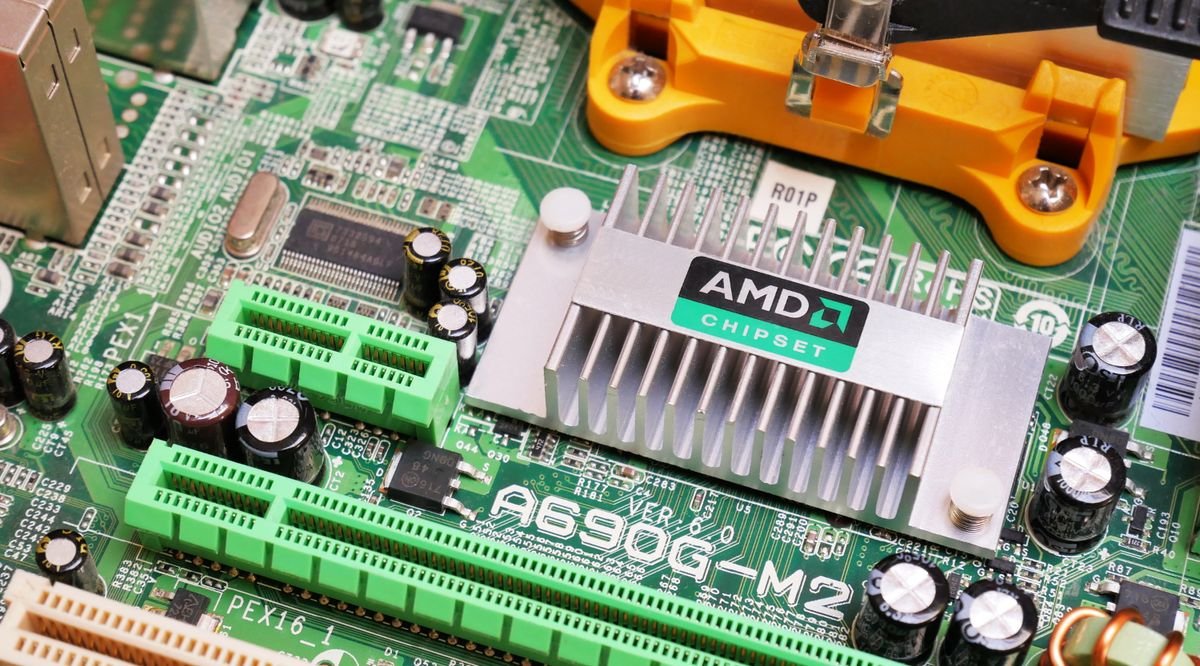
A motherboard chipset is a collection of integrated circuits that manages communication between the processor and other hardware components connected to the motherboard.
Think of it as a traffic controller for your computer. While the CPU handles calculations and processing tasks, the chipset directs data flow between storage drives, USB ports, expansion cards, networking devices, and other peripherals.
Without this communication hub, your system components wouldn’t be able to work together efficiently.
In modern computers, many functions that were once split across multiple chips are now integrated into fewer components, making systems faster and more efficient. Despite these advancements, the chipset remains one of the most important elements influencing a motherboard’s capabilities.
Why the Chipset Matters
Not all motherboards are created equal, even if they support the same processor.
The chipset determines:
- Number of USB ports available
- PCIe lane support
- Storage connectivity options
- Memory overclocking capabilities
- CPU overclocking support
- Network and Wi-Fi features
- Expansion flexibility
- Future upgrade potential
For example, two motherboards may both support the same Intel or AMD processor, but one may allow advanced overclocking while the other does not.
This is why understanding chipset differences can save money and prevent compatibility issues.
How a Chipset Works
Modern motherboards use a simplified architecture where the processor directly handles many high-speed tasks.
The chipset acts as a bridge between the CPU and lower-speed devices such as:
- SATA drives
- USB controllers
- Audio systems
- Network adapters
- Expansion slots
When you connect a USB device, install an SSD, or access data from a storage drive, the chipset helps coordinate communication between those components and the processor.
The result is smooth operation across the entire system.
How Motherboard Features Affect Real-World Gaming Setups
Imagine you’re building a gaming PC.
You choose a powerful processor and graphics card but purchase an entry-level motherboard with a basic chipset. Later, you decide to add multiple NVMe SSDs, faster memory, and additional PCIe devices.
Unfortunately, the motherboard lacks sufficient expansion support because the chipset wasn’t designed for those features.
This scenario highlights why selecting the right motherboard platform is just as important as choosing a CPU.
Types of Motherboard Chipsets
Chipsets generally fall into three categories:
Entry-Level Chipsets
These are designed for everyday computing tasks such as:
- Web browsing
- Office work
- Streaming media
- Basic productivity
They usually provide fewer connectivity options and limited upgrade flexibility.
Mid-Range Chipsets
Mid-tier options offer a balance between cost and functionality.
They commonly include:
- Faster storage support
- More USB ports
- Better memory compatibility
- Additional expansion options
These are popular among gamers and content creators.
High-End Chipsets
Premium chipsets target enthusiasts and professionals who need maximum performance.
Typical benefits include:
- Extensive PCIe lane availability
- Advanced overclocking support
- Multiple high-speed storage options
- Enhanced networking features
- Better future-proofing
Comparing Common Chipset Categories
The following table illustrates the general differences between chipset tiers:
| Feature | Entry-Level | Mid-Range | High-End |
|---|---|---|---|
| CPU Overclocking | Limited or None | Partial | Full Support |
| USB Connectivity | Basic | Moderate | Extensive |
| PCIe Expansion | Limited | Good | Excellent |
| Storage Options | Standard | Multiple SSD Support | Maximum Flexibility |
| Upgrade Potential | Lower | Balanced | Highest |
| Typical Users | Casual Users | Gamers & Creators | Enthusiasts & Professionals |
While exact specifications vary by manufacturer and generation, this comparison provides a useful overview when evaluating motherboard options.
Chipset and Processor Compatibility
One of the most important factors to consider is compatibility.
A motherboard chipset must support the processor you plan to use.
For example:
- Intel processors require compatible Intel chipsets.
- AMD processors require compatible AMD chipsets.
Even if the physical socket appears compatible, BIOS support and chipset generation can affect functionality.
Always verify motherboard compatibility before making a purchase.
Does the Chipset Affect Performance?
This is a common question among PC builders.
The chipset does not directly increase processor speed in most situations.
A high-end chipset won’t magically make a CPU perform faster than its specifications allow.
However, it can indirectly influence system performance by enabling:
- Faster storage devices
- Higher memory speeds
- Better cooling and power delivery support
- Additional expansion hardware
In practical terms, users often notice improvements through enhanced system flexibility rather than raw processing power.
Choosing the Right Chipset
The best option depends on your intended use.
For Everyday Users
A basic motherboard platform is usually sufficient for:
- Web browsing
- Video streaming
- Schoolwork
There’s little reason to pay extra for advanced features that won’t be used.
For Gamers
Gaming systems benefit from:
- Multiple PCIe options
- High-speed storage support
- Faster memory compatibility
A mid-range chipset often delivers the best balance of cost and functionality.
For Content Creators
Video editors, designers, and streamers often need:
- Additional storage devices
- More USB connectivity
- Better networking capabilities
A higher-tier motherboard may be worthwhile for these workloads.
For Enthusiasts
Users who frequently upgrade hardware or experiment with overclocking generally benefit from premium chipset platforms that provide maximum flexibility.
Common Misconceptions
More Expensive Means Faster
Not necessarily.
A premium chipset mainly adds features and expandability rather than increasing processor performance.
Every Motherboard Supports Overclocking
This is false.
Overclocking capabilities depend heavily on chipset design and motherboard implementation.
Chipsets Don’t Matter
Many beginners overlook the motherboard entirely.
In reality, the chipset determines much of what your system can do both today and in the future.
What I Learned While Building PCs
After assembling several custom computers over the years, I’ve learned that spending a little extra on the right motherboard often prevents costly upgrades later. Choosing a platform with room for expansion can make a system feel relevant for years longer than expected.
That flexibility becomes especially valuable when storage needs grow or new hardware technologies emerge.
Also Read:Best Budget Mechanical Keyboards for Gaming & Typing
Conclusion
Understanding what a motherboard chipset is can help you make smarter decisions when buying or building a computer. Rather than focusing solely on the processor, it’s important to consider how the motherboard controls connectivity, expansion options, storage support, and future upgrades.
The chipset acts as the foundation that ties your system together. Whether you’re building a budget office PC, a gaming machine, or a professional workstation, selecting the right motherboard platform ensures your hardware works efficiently and provides room to grow.
A well-chosen chipset won’t just support your computer today—it can also extend its usefulness for years to come.
Frequently Asked Questions
What does a motherboard chipset do?
It manages communication between the processor and connected hardware components such as storage drives, USB devices, networking hardware, and expansion cards.
Does a chipset affect gaming performance?
Not directly. However, it can enable faster storage, higher memory speeds, and additional hardware support that may improve the overall gaming experience.
Can I upgrade my CPU without changing the chipset?
Sometimes. Compatibility depends on the motherboard socket, BIOS support, and chipset generation.
Which chipset is best for gaming?
Most gamers find mid-range chipsets provide the ideal combination of features, performance, and value.
Is a high-end chipset worth it?
If you need extensive expansion, advanced overclocking, multiple SSDs, or professional-grade connectivity, a premium chipset can be a worthwhile investment.
How do I know which chipset my motherboard uses?
You can check the motherboard specifications, system information tools, or the manufacturer’s documentation to identify the chipset model.