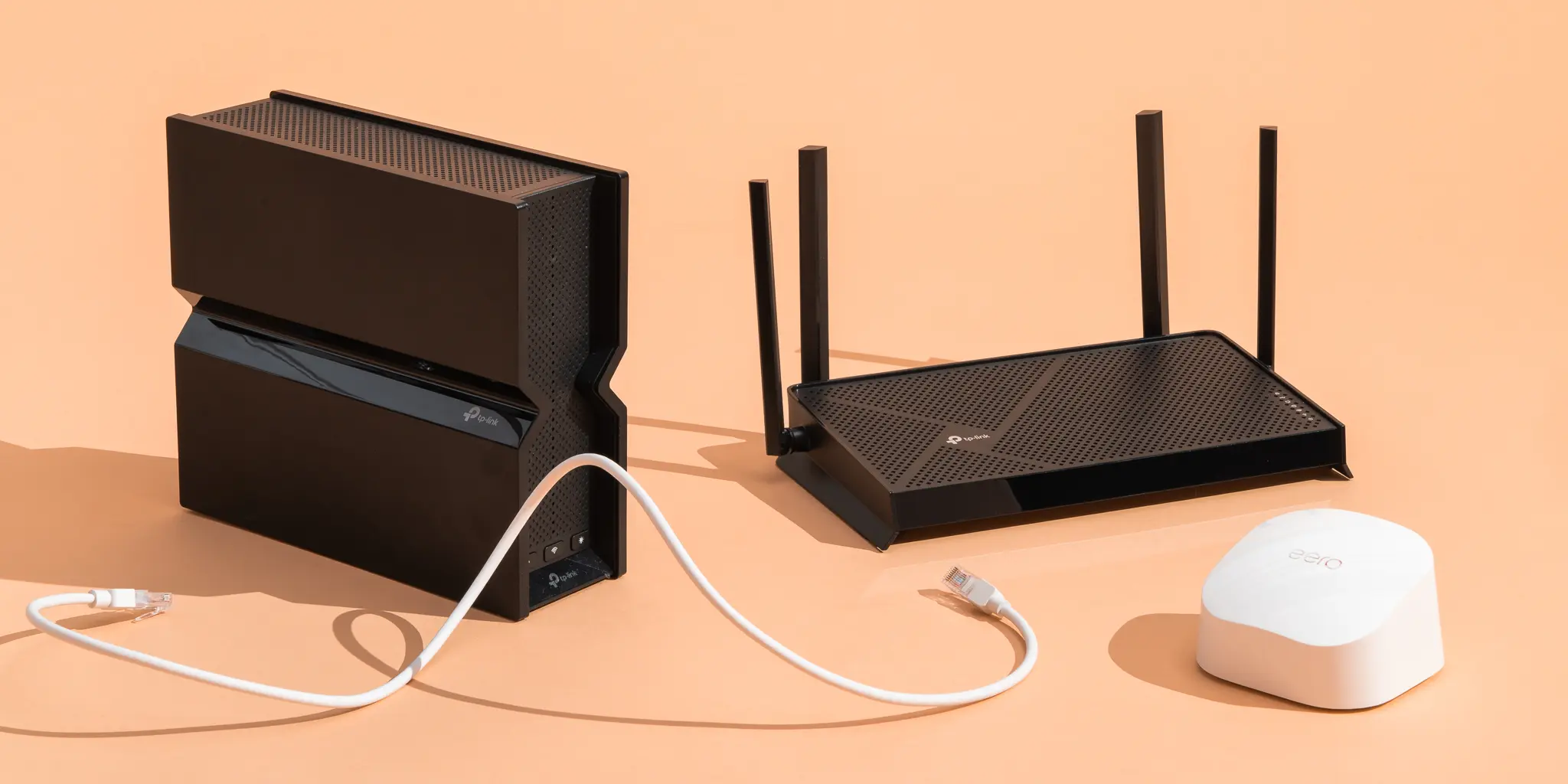
A strong internet connection is no longer a luxury—it’s a necessity. Whether you’re working remotely, streaming 4K movies, gaming online, or managing a smart home full of connected devices, your router plays a critical role in delivering a smooth online experience. Yet many people continue using outdated networking equipment, unaware that a better router can dramatically improve speed, coverage, and stability.
If you’re searching for wireless router recommendations, this guide will help you understand what matters most and highlight the types of routers that perform well for different needs and budgets.
Why Your Router Matters More Than You Think
Most internet users focus on their service provider and internet plan, but the router often becomes the hidden bottleneck. Even a high-speed fiber connection can feel slow if the networking hardware can’t efficiently manage traffic.
Modern routers are designed to handle multiple devices simultaneously, reduce network congestion, and provide stronger coverage throughout your home. With the growing number of smartphones, tablets, smart TVs, gaming consoles, and smart home gadgets, investing in the right device can make a noticeable difference.
I once upgraded from a basic ISP-provided router to a modern dual-band model, and the improvement in streaming quality and Wi-Fi stability was immediately noticeable.
Key Features to Look For
Before choosing a router, it’s important to understand the features that impact performance.
Wi-Fi Standards
Newer Wi-Fi standards provide faster speeds and better efficiency. Recent routers support advanced wireless technologies that improve network performance when multiple devices are connected.
Coverage Area
The size of your home plays a major role in router selection. A small apartment may only need a single unit, while larger homes often benefit from wider coverage solutions.
Band Support
Most modern devices operate on multiple frequency bands:
- 2.4 GHz for longer range
- 5 GHz for faster speeds
- Additional high-speed bands on premium models
This flexibility helps balance performance and coverage.
Device Capacity
Households today commonly connect 20 to 50 devices. A router should be capable of handling simultaneous connections without noticeable slowdowns.
Security Features
Built-in security tools help protect connected devices from threats. Automatic firmware updates and advanced encryption protocols provide an additional layer of protection.
Best Router Types for Different Users
Not every household has the same networking needs. Understanding your usage patterns can simplify the decision.
For Casual Browsing and Streaming
Families that primarily browse websites, watch videos, and use social media can often rely on affordable dual-band routers that provide dependable performance without unnecessary complexity.
For Gamers
Online gaming demands low latency and stable connections. Gaming-focused routers often include traffic prioritization features that reduce lag during competitive sessions.
For Remote Workers
Video conferencing, cloud collaboration, and file transfers require reliable connectivity. Routers designed for productivity can maintain stable connections even when several devices are active.
For Large Homes
If Wi-Fi signals struggle to reach certain rooms, expanding coverage becomes essential. Multi-unit networking systems distribute wireless signals more evenly throughout larger spaces.
Comparison Table: Popular Router Categories
| Router Type | Best For | Coverage | Performance Level | Typical Price Range |
|---|---|---|---|---|
| Basic Dual-Band | Small homes, casual users | Moderate | Good | Budget-friendly |
| High-Performance Router | Streaming and gaming | Wide | Excellent | Mid-range |
| Tri-Band Router | Heavy device usage | Wide | Very High | Premium |
| Mesh Wi-Fi System | Large homes | Extensive | Excellent | Mid to Premium |
| Gaming Router | Competitive gamers | Wide | Exceptional | Premium |
This comparison helps narrow your options based on actual usage rather than marketing claims.
How Router Performance Impacts Online Gaming
Imagine a family of five. One person is attending a video meeting, another is streaming a movie, two children are gaming online, and several smart devices are operating in the background. An entry-level router may struggle under this load, causing buffering and connection drops.
A higher-capacity router or mesh system can distribute traffic more efficiently, allowing every user to enjoy a smoother experience without constant interruptions.
This is where thoughtful router selection becomes more valuable than simply choosing the fastest advertised speed.
Understanding Mesh Systems
Mesh networking has become increasingly popular because it solves one of the biggest home Wi-Fi frustrations: dead zones.
Instead of relying on a single router, a mesh system uses multiple units that work together to create one seamless network. Users can move from room to room without manually reconnecting devices.
Mesh solutions are particularly useful for:
- Multi-story homes
- Homes larger than 2,000 square feet
- Buildings with thick walls
- Outdoor Wi-Fi coverage needs
While they generally cost more than traditional routers, the improved coverage often justifies the investment.
Common Mistakes to Avoid
Many buyers focus only on maximum speed ratings, but other factors are equally important.
Ignoring Home Size
A powerful router won’t necessarily eliminate weak signals in distant rooms.
Buying More Than You Need
Premium models offer advanced features, but casual users may never benefit from them.
Forgetting Future Growth
The number of connected devices in households continues to increase. Choosing a router with room for expansion can prevent another upgrade in the near future.
Poor Router Placement
Even the best router performs poorly if hidden behind furniture or placed in a corner. Positioning it centrally often improves coverage significantly.
How Much Should You Spend?
The ideal budget depends on your internet habits.
- Budget options work well for basic browsing and streaming.
- Mid-range routers provide excellent value for most households.
- Premium models are worthwhile for gamers, content creators, and large families with heavy internet usage.
Many people find that spending slightly more upfront reduces frustration and extends the useful lifespan of their networking equipment.
Making the Right Choice
The best router isn’t necessarily the most expensive one—it’s the one that matches your specific needs.
Consider:
- Home size
- Number of users
- Internet speed plan
- Gaming or streaming requirements
- Future device growth
When these factors align with your purchase decision, you’ll enjoy a stronger, more reliable network experience for years to come.
Also Read:Best Laptop 2026: Top Picks for Performance & Value
Conclusion
Finding the right wireless router can significantly improve everyday internet performance. From casual browsing to competitive gaming and smart-home management, the right equipment ensures stable connections, faster speeds, and better coverage.
When evaluating wireless router recommendations, focus on real-world needs rather than headline speed numbers. Coverage, device capacity, security features, and future scalability often matter more than raw specifications. By choosing a router that fits your household’s demands, you’ll create a network that remains dependable as technology continues to evolve.
Frequently Asked Questions
What is the best type of router for a large home?
A mesh Wi-Fi system is often the best choice for larger homes because it provides consistent coverage across multiple rooms and floors.
How often should I replace my router?
Most routers remain effective for about three to five years, depending on technological advancements and usage demands.
Is a gaming router worth buying?
For serious gamers who prioritize low latency and stable connections, a gaming-focused router can provide noticeable benefits.
Can a better router increase internet speed?
A router cannot exceed your internet plan’s maximum speed, but it can improve efficiency, reduce congestion, and provide more consistent performance.
What’s the difference between a router and a modem?
A modem connects your home to the internet service provider, while a router distributes that connection to multiple devices within your network.
Do I need a tri-band router?
Tri-band routers are beneficial for households with many connected devices and heavy internet usage, but they may be unnecessary for smaller households.